

Set your Google Ads budget from the jobs you can profitably deliver, then check whether local search demand can support that plan. For a trades or service business, start with contribution per job, a realistic qualified-lead close rate and available crew capacity. Keep the payment to Google separate from management, tracking and setup costs.
A bigger budget cannot fix a phone nobody answers or a campaign attracting the wrong work. A useful spending plan tells you what the business can afford, what the campaign needs to produce and when to hold, change or increase spending.
Start with three numbers your business controls
Before opening Google Ads, write down the service you want to promote, the area you can cover and the number of additional jobs you can take. An electrical contractor looking for panel upgrades needs a different plan from one filling gaps with small repairs.
Then collect these inputs with the owner or bookkeeper:
- Contribution per completed job: revenue minus the direct costs of doing that work, including labour, materials, subcontractors and other job-specific expenses.
- The portion of that contribution available for customer acquisition, after considering overhead and the profit the business needs to retain.
- The percentage of qualified enquiries that become booked jobs, using your actual records where available.
Do not substitute invoice revenue for contribution. A C$2,000 job with substantial labour and material costs does not leave C$2,000 available for marketing. Likewise, a promising enquiry is not yet a completed, paid job.
Use a consistent qualification rule. For example: the person needs a service you offer, is within your working area and can be served within an acceptable time. Apply that rule to every enquiry, including those that do not book. Counting only your best calls makes the close rate look stronger than it is.
Agentive Scale's guide to Google Ads costs makes a useful distinction between media spending and campaign management. Its displayed publication date is September 24, 2026. For a local business, the next step is to connect those separate costs to its own margins and capacity, rather than borrow another company's budget range.
Build a monthly worksheet before setting a daily budget
Use this worksheet for one service and market. Keep the assumptions visible so you can replace them with observed results.
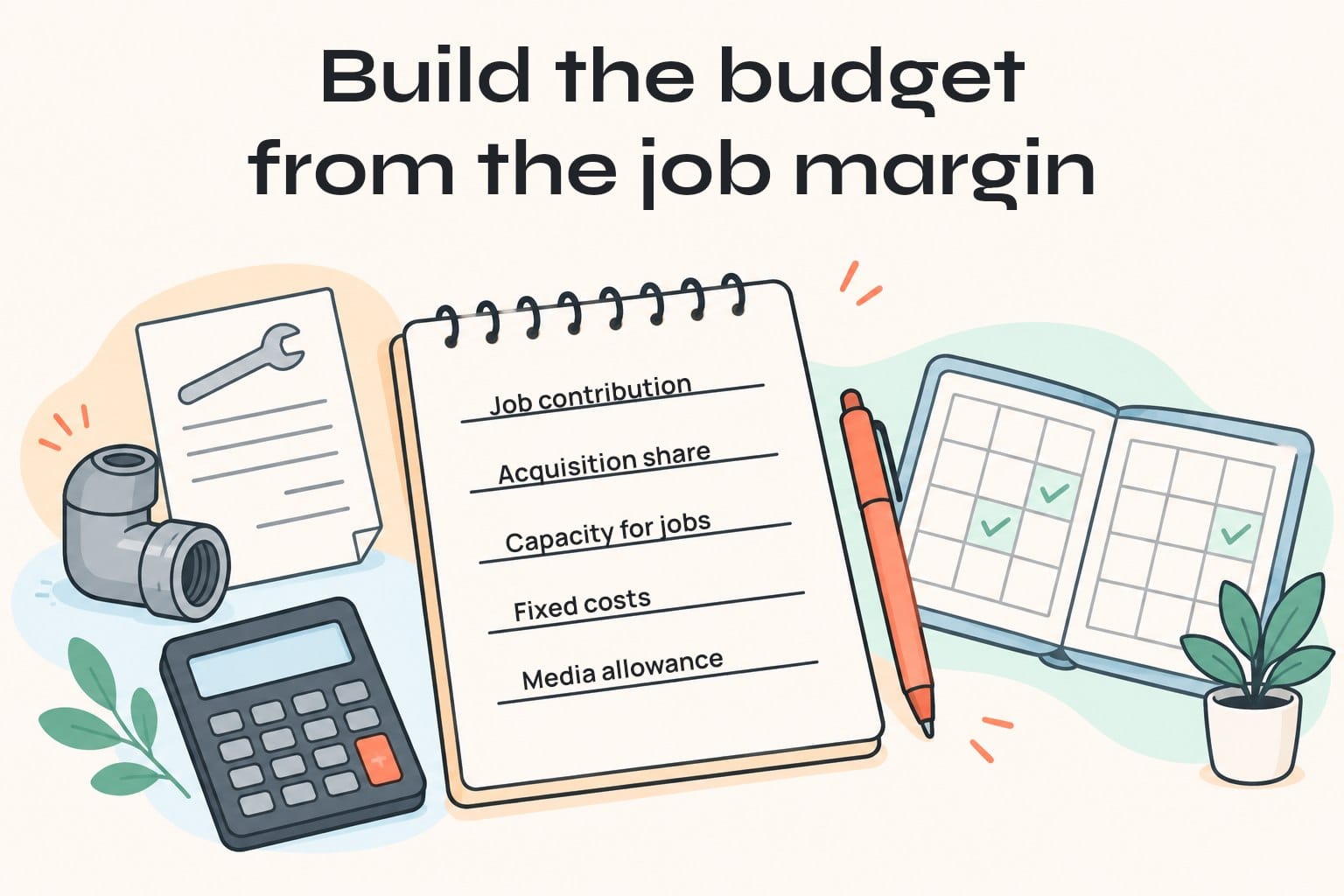
- Allowable acquisition cost per job = contribution per job × the acquisition share you have chosen.
- Qualified enquiries needed = desired additional booked jobs ÷ qualified-enquiry close rate. Round up when planning whole enquiries.
- Total acquisition allowance = desired booked jobs × allowable acquisition cost per job.
- Media allowance = total acquisition allowance minus the fixed acquisition costs included in this plan.
- Target media cost per qualified enquiry = media allowance ÷ qualified enquiries needed.
Fixed costs might include management and tracking. Include setup or landing-page work separately in the launch cash requirement, or allocate them over a clearly stated period. Do not let them disappear from the calculation. Avoid counting the same expense twice.
The worksheet gives you a ceiling under your assumptions, not a recommended amount to spend immediately. If the media allowance is zero or negative, the plan does not support paid acquisition as written. Improve the offer's economics, reduce the scope or reconsider whether this service is a sensible starting point.
A repeat customer may be valuable, but do not fund today's campaign with speculative future work. Start with the first job's contribution. Add repeat business only when your records support a realistic estimate and you can afford the timing of the cash outflow.
A worked example: eight extra jobs, not unlimited calls
Consider a hypothetical local plumbing business with room for eight additional suitable jobs next month. All figures below are illustrative Canadian dollars, not market benchmarks or JC Labs client results.
The owner estimates C$900 contribution per job and chooses to allocate 25% to acquisition. That gives an allowable acquisition cost of C$225 per booked job. At a 25% close rate from qualified enquiries, eight bookings require 32 qualified enquiries.
The total acquisition allowance is C$1,800. Suppose the plan includes C$300 in fixed monthly management and tracking costs. The remaining media allowance is C$1,500, or about C$46.88 per qualified enquiry.
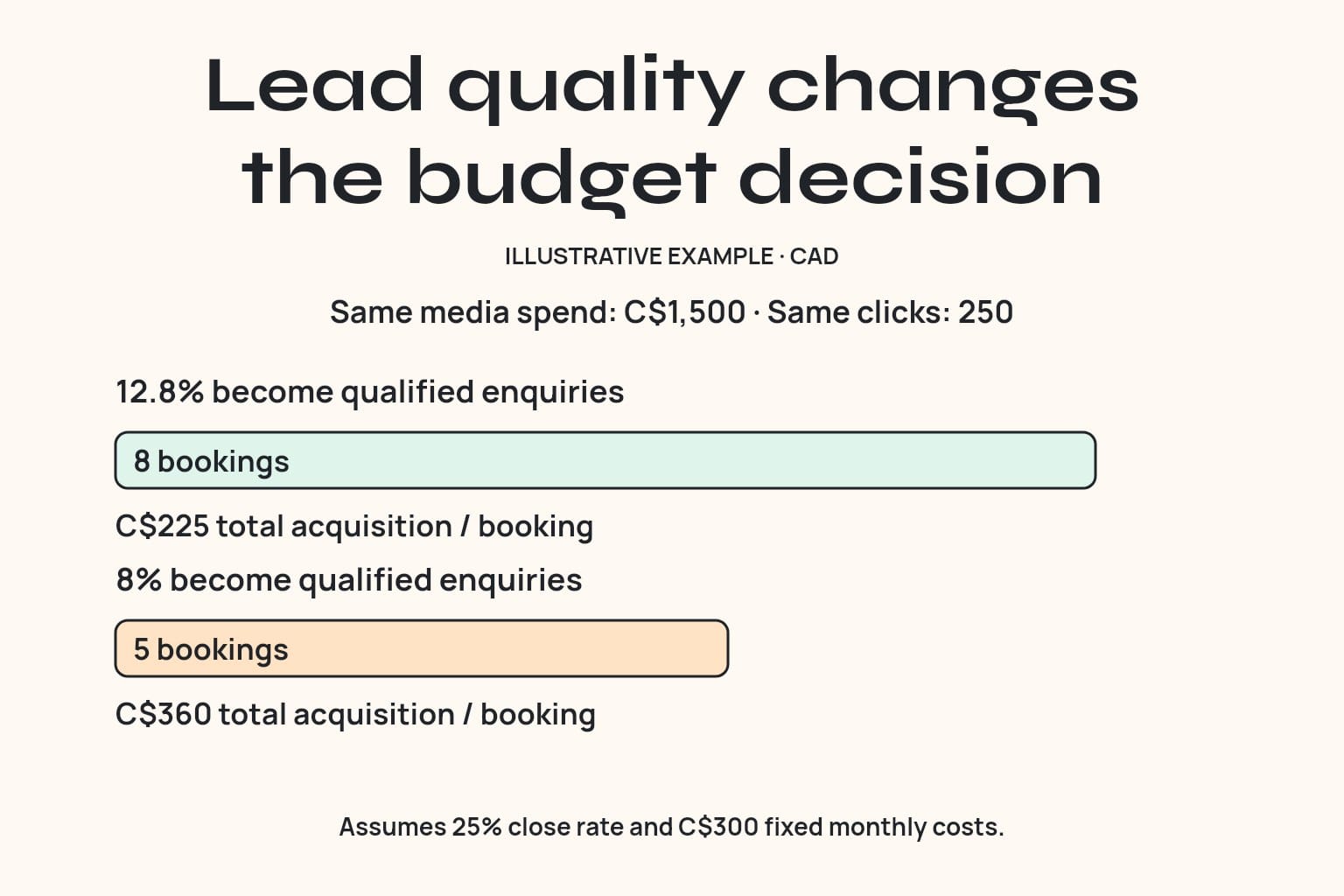
Now test the traffic assumptions. At an illustrative C$6 per click, C$1,500 buys about 250 clicks. To produce 32 qualified enquiries, 12.8% of those clicks must become qualified enquiries. A 25% close rate would then produce eight bookings in the planning model.
Change just one assumption: if only 8% of clicks become qualified enquiries, the same 250 clicks produce 20 qualified enquiries and approximately five bookings. Total acquisition cost becomes C$360 per booking: C$1,800 divided by five. That exceeds the owner's C$225 allowance.
The response is to investigate qualification, the landing page and the sales handoff before increasing spending. Another option is to narrow the service or market and test again. Paying for more traffic at the same weak economics expands the problem.
Bookings can cancel, and completed jobs can have different margins. Compare the plan with completed work too. A forecast built around booked jobs is an early operating check, not final proof of profitability.
Check the market against the worksheet
Use Google Keyword Planner forecasts for the actual service, target area and campaign assumptions. Google describes these as estimates based on historical data. They are not a promise of clicks, enquiries or sales, and forecasts can be less accurate for a small geographic area.
Ask the campaign manager to record the forecast date, locations, relevant search terms, estimated clicks and cost. Compare the expected traffic with the qualified-enquiry rate the worksheet requires. Keep national average click costs out of a local forecast unless they are clearly labelled as broad context.
If the numbers do not support the plan, make one deliberate choice:
- Focus on a service with healthier contribution or a stronger offer.
- Improve the page or response process before buying more traffic.
- Use a smaller, tightly scoped test you can afford to lose.
- Defer the campaign if there is too little demand or no capacity to serve it.
A small test is useful when its question is clear. Spreading the same allowance across many unrelated services makes it harder to learn which offer works. Define a maximum test loss and a review point with the owner before launch.
Translate the monthly plan into Google's budget settings
For an ongoing campaign using an average daily budget, an initial full-month planning figure is monthly media allowance divided by 30.4. In the example, C$1,500 ÷ 30.4 is about C$49.34 per day.
Google's budget overview explains that, for most campaigns, the daily billed limit is twice the average daily budget and the monthly limit is 30.4 times it. Daily spend can vary. These rules concern media charges, not your management fee or the number of jobs you will win.
Check the actual budget type before applying that calculation. Campaign total budgets use a different approach. Also review every campaign's allowance: three campaigns with the same daily budget do not share a single monthly cap simply because one business owns them.
Weekend closures do not automatically reduce the monthly allowance
Google's ad scheduling budget guidance says pacing changed on June 1, 2026 for schedules that turn campaigns off on particular days. It now aims toward the monthly allowance despite fewer active days, subject to daily limits and available demand. Ads still remain off on the days excluded by the schedule.
Do not calculate an ongoing weekday-only campaign as daily budget multiplied by the number of weekdays and assume that is its monthly cap. Check Google's current guidance for short schedules and use the budget report to review the applicable limit.
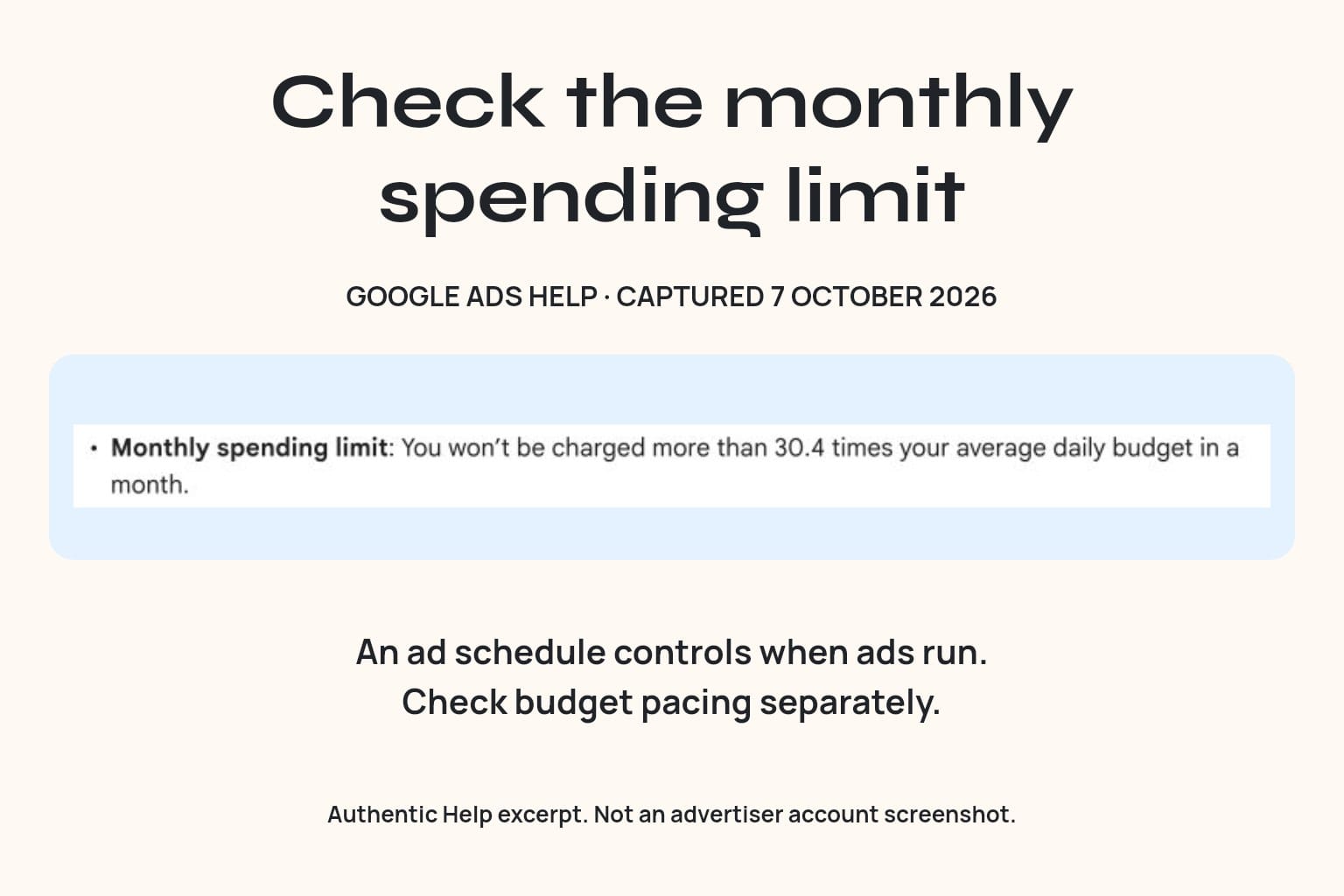
If you change a daily budget mid-month, Google calculates the remaining allowance using the new daily budget and remaining calendar days. The highest daily budget chosen on the day of an edit affects that day's limit. Record changes instead of repeatedly moving the number without a spending plan.
Make budget review a working process
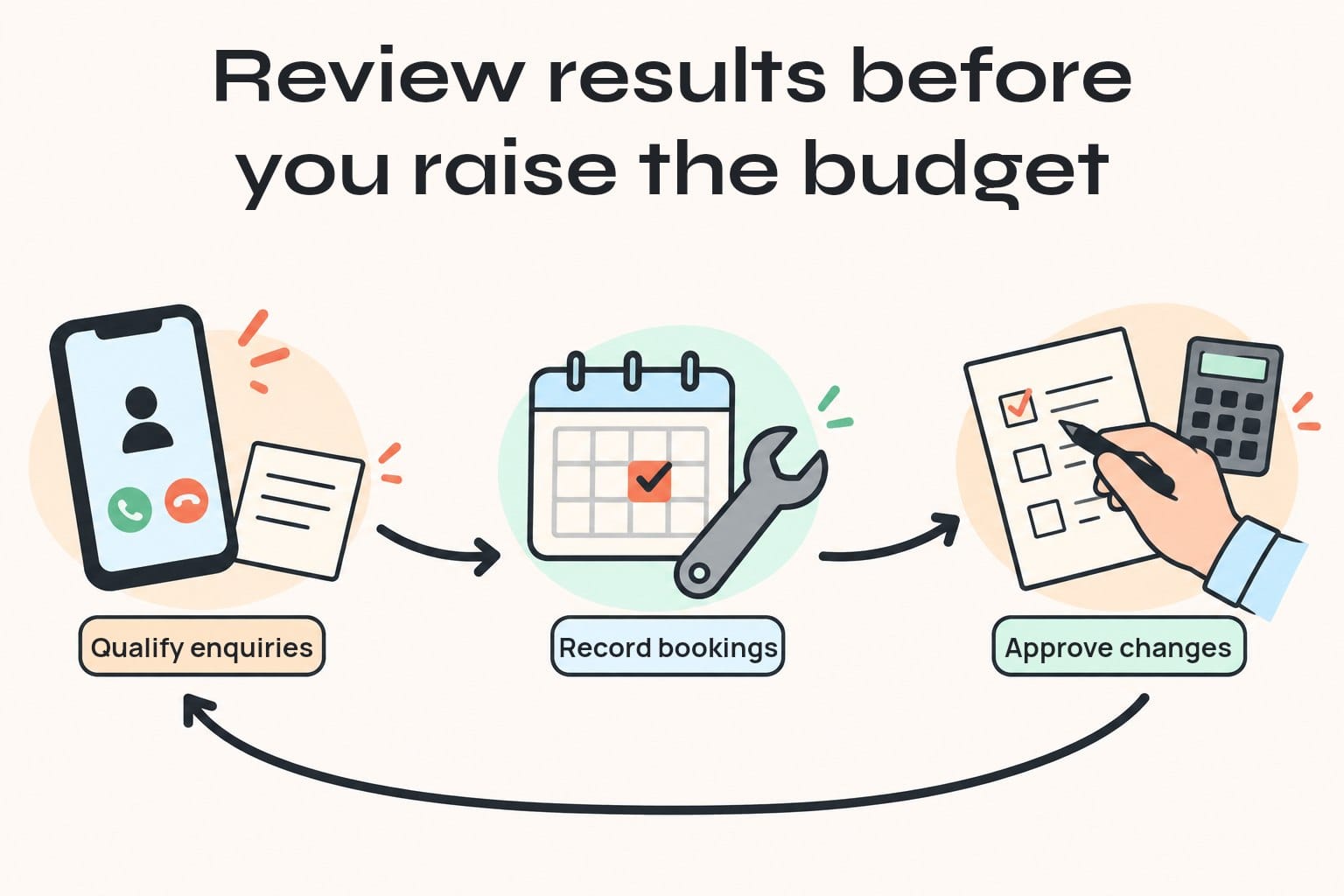
Give the owner responsibility for approving the monthly allowance and capacity. Give the campaign manager responsibility for spend and traffic checks. Give the person handling enquiries responsibility for qualification and booking outcomes.
A simple weekly review can run like this:
- Export campaign spend and enquiries for a consistent period.
- Match enquiries to the lead register using a stable lead reference, where tracking supports it.
- Mark qualified, unqualified, booked and still pending as separate outcomes.
- Calculate media cost per qualified enquiry and total acquisition cost per booking.
- Check remaining crew capacity, overdue follow-up and the budget report.
- Record one decision, its reason, the approver and the next review date.
Automation can gather exports, flag missing outcomes and remind the responsible person to follow up. If a connection fails, mark the data stale and assign a manual check. Do not silently replace missing values with zero or let an incomplete report trigger a budget increase.
An AI assistant can summarise the review, but someone should check the numbers and approve the decision. Keep customer details in the appropriate business system rather than copying them into public reports.
Hold, repair or increase spending
Hold when the data is incomplete, the test is still too small or outcomes are pending. Compare enquiries from the same cohort after allowing a realistic booking window; this week's spending and this week's bookings may belong to different customers.
Assign the specific fault to an owner. A wrong-service call needs a different fix from an unanswered qualified call.
Consider an increase when qualified-enquiry and booking costs fit the allowance, the business can deliver more work, and the campaign has additional useful demand.
Frequently asked questions
Is there one good Google Ads budget for every trades business?
No. Job contribution, competition, geography, close rate, and capacity differ. Build a service-specific plan, then check it against local forecasts and live campaign results.
Is the management fee part of the budget I enter in Google Ads?
The campaign budget controls media spending. Put management, tracking, setup, and page costs on separate lines in your business plan so the total acquisition expense is clear.
Can Google spend more than my average daily budget?
Yes. For most campaigns using average daily budgets, daily billed spending can reach twice that figure. Check the campaign's budget type and current spending limits rather than treating the average as a strict daily cap.
Should I increase the budget when calls are cheap?
Check qualification and bookings first. Cheap calls can include wrong-service enquiries or customers you cannot serve. Increase spending only when the outcomes, capacity and available demand support it.
How long should I run the test?
Set a review point based on affordable spend, traffic volume and your normal booking cycle. Check tracking and obvious waste early. A fixed number of days cannot guarantee enough evidence; pending jobs and small samples need cautious interpretation.
Put the budget decision on one page
Choose one service, write down the allowable acquisition cost, and assign someone to record what happens after each enquiry. That gives the next budget conversation a concrete starting point.
JC Labs' Google Ads management for trades covers campaign structure, call and form tracking, budget pacing, and lead quality review. Use the ads audit option on that page to discuss whether your current campaign and follow-up process can support the jobs you want more of.