
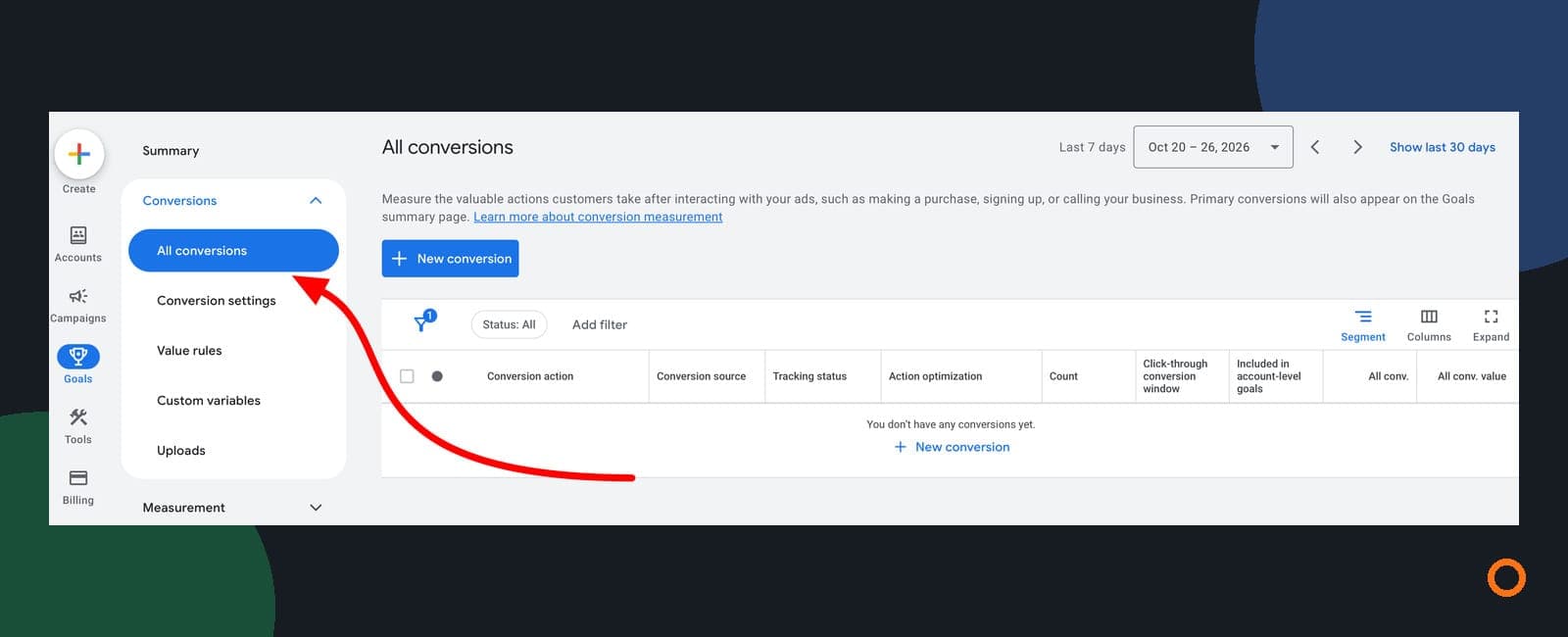
Use Conversions to review the actions included in your campaign’s conversion goals. Use All conversions to see a broader set of tracked activity. Neither total automatically tells you how many people enquired, needed your service or booked a job. For that, check the individual conversion actions and compare them with your enquiry records.
If you run a plumbing, electrical, HVAC or cleaning business, this distinction matters before you approve more advertising spend. A form submission and a visit to your contact page can both be tracked, but they mean different things to your business.
Search Engine Roundtable reported an expanded All conversions navigation item on October 28. The cover shows the screenshot shared by Thomas Eccel in that report. It illustrates the interface, not JC Labs results. The report does not establish that every Canadian account has the same menu. The reporting distinction below applies even if you use the existing Summary and campaign columns instead.
The two totals answer different questions
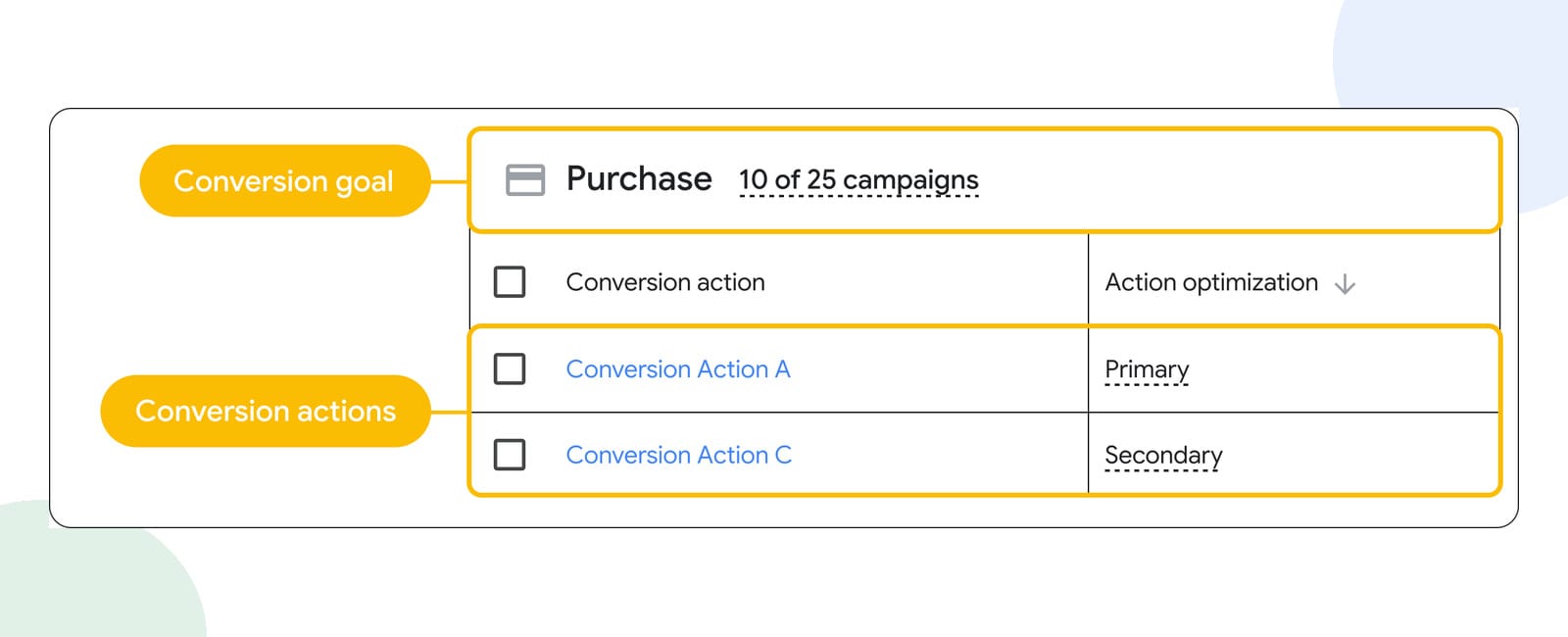
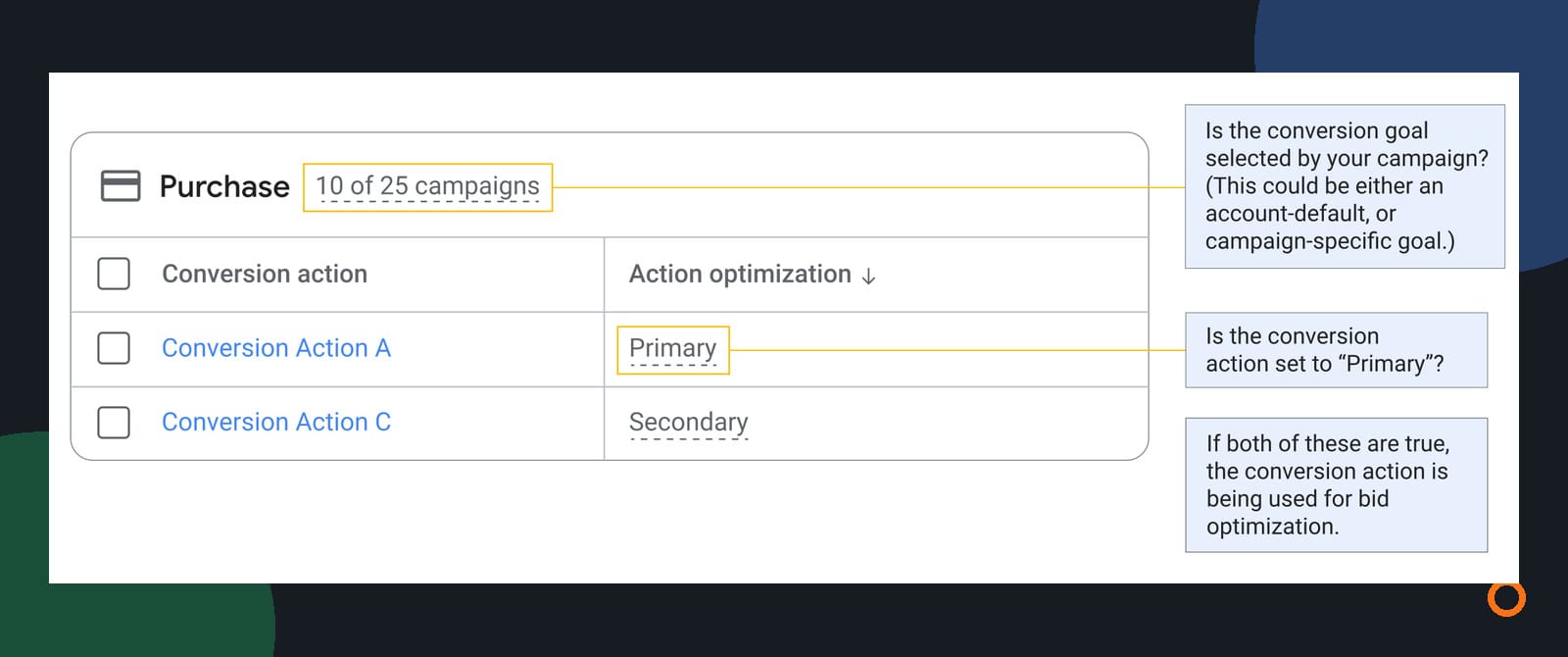
In a standard goal setup, a primary conversion action is used for bidding when its goal is selected by the campaign. Secondary actions are generally for observation. There is an important exception: actions included in a custom goal can be used for bidding even when labelled secondary. Google explains primary and secondary actions here.
That makes the action list more useful than a headline total on its own.
| What you’re reading | What it can tell you | What to check next |
|---|---|---|
| Conversions | Performance of actions included in the campaign’s conversion reporting | Are those actions actual enquiries, purchases or something earlier? |
| All conversions | A broader view, including actions omitted from Conversions and certain additional conversion sources | Which action or source accounts for the difference? |
| Your enquiry and booking records | Unique enquiries, suitable jobs and booked work you recorded | Which records can you reasonably connect with the advertising? |
Google’s All conversions documentation describes those additional sources. For example, view-through conversions are excluded from the Conversions column but can appear in All conversions. A larger total is not, by itself, evidence of more leads.
You also cannot assume Conversions means “good leads.” If a page view is a primary action in a selected goal, the setup may be rewarding that earlier activity. Read what the action measures before judging what the campaign achieved.
Check what each conversion action counts
Start in Goals → Conversions → Summary. Record the actions already there before changing anything. You want a short register that someone answering the phone or checking the inbox can understand.
For each action, note:
- Its name and source, such as a website tag, imported Analytics event or phone call.
- The actual trigger: a successful form submission, a phone-link click, a qualifying call or another event.
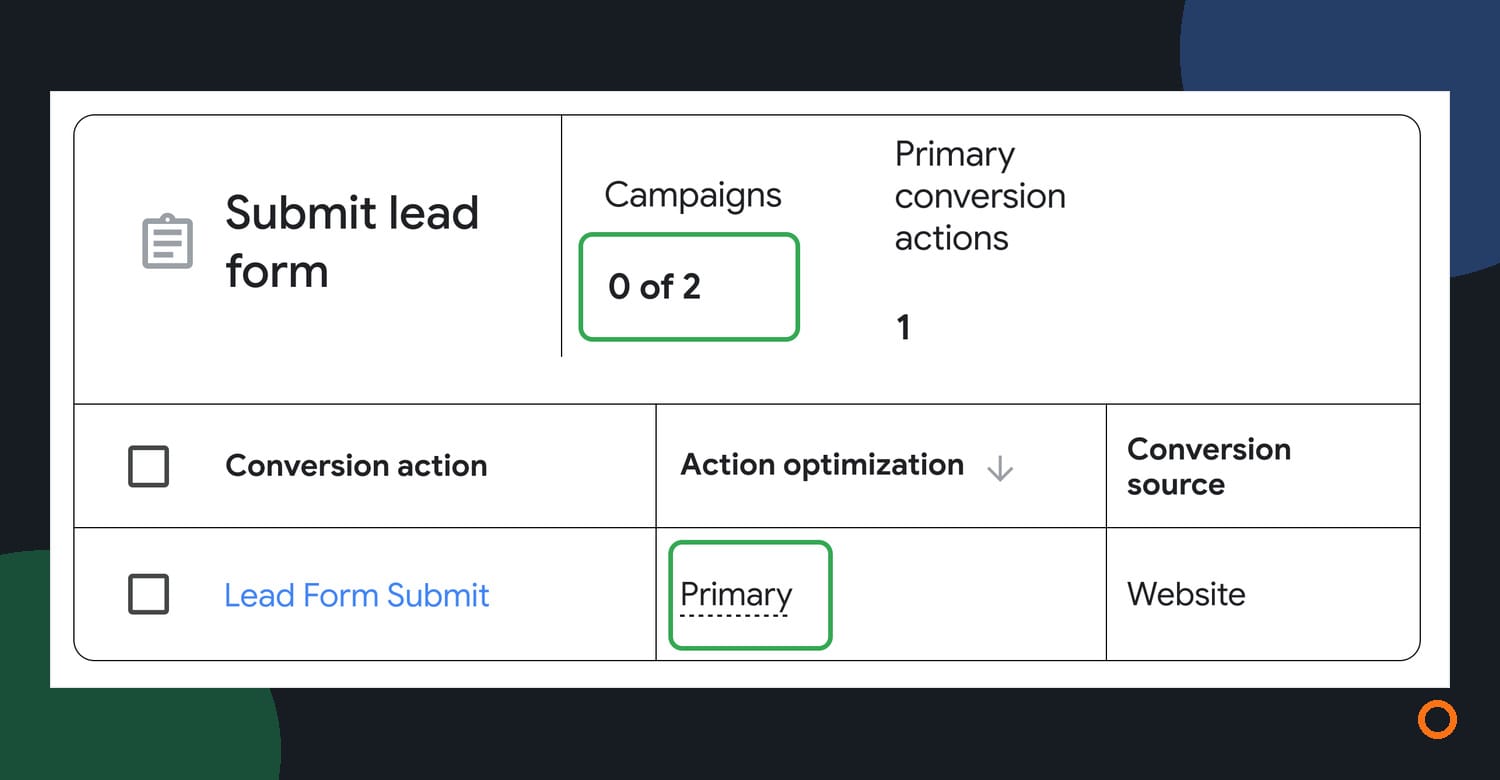
- Whether it is primary or secondary, and which campaigns use its goal.
- Its One or Every counting setting and conversion window.
- Where the matching enquiry or job outcome is recorded.
Do not treat the action name as proof that the trigger works. An action called “Lead” could be attached to a button click rather than a successful submission. Ask whoever manages tracking to demonstrate the trigger using a controlled test and the appropriate diagnostic tools.
“One” does not mean one customer across your whole account
The counting setting applies to each conversion action after an ad interaction. One can limit repeat counts for that action; Every counts each recorded occurrence. It does not follow that choosing One deduplicates the same person across different actions.
For example, a form submission and a later call could be two actions from the same prospective customer. Two tracking sources could also be recording the same form success. Check both possibilities before concluding that Google has produced twice as many enquiries. Google’s counting guide explains the scope of One and Every.
Build a report that separates enquiries from activity
Open the relevant campaign report and add Conversions, All conv. and Cost through Columns. Then segment by conversion action so the broader total is broken into named actions. Google documents conversion-action segmentation in its conversion goals guide.
Read the rows before calculating a cost per lead. If contact-page views account for most of the gap between the two totals, report those separately from successful enquiry forms or qualifying calls.
Next, compare the enquiry actions with your business records. Keep three stages separate:
- Unique enquiries: distinct people or businesses that contacted you.
- Suitable enquiries: requests for work you provide, in an area you serve.
- Booked jobs: work actually booked, rather than a booking-link click or an unanswered estimate.
Use the same period and a stated attribution basis. A Google Ads conversion can be reported against the earlier ad interaction rather than the day the customer completed the action. Conversion-time columns offer another view. Attribution credit can also be split across interactions. Google’s reporting guide explains these differences.
You may not get a perfect one-to-one match. Record the reason for a known difference, such as a repeat enquiry, a later conversion or an uncertain source. Do not relabel every unmatched record as a tracking failure.
A trades example in Canadian dollars
Here is a hypothetical owner worksheet, not a benchmark or a client result.
Suppose a Search campaign spends $1,200 CAD. For this simplified example, its selected goal contains a primary lead-form action set to Every. The report has 20 form events plus 30 secondary page views, with no other conversion sources contributing to these totals. Conversions is 20 and All conversions is 50.
The business checks its records and identifies 16 unique advertising enquiries among the 20 form events. Eight are suitable requests, and four become booked jobs.
| Measure | Count | Spend divided by that count |
|---|---|---|
| All tracked conversion actions | 50 | $24 CAD per action |
| Lead-form events | 20 | $60 CAD per form event |
| Unique enquiries | 16 | $75 CAD per enquiry |
| Suitable enquiries | 8 | $150 CAD per suitable enquiry |
| Booked jobs | 4 | $300 CAD per booked job |
The spend did not change. The denominator did. Calling the first figure “$24 leads” would hide the page views and repeat form events.
The last three rows are successive stages of the same enquiry group. Do not add them together. This simple division also does not replace Google Ads’ own attribution calculations or prove that the campaign caused every booking.
What to review before changing the goals
Once the counts make sense, decide whether the bidding goals reflect the work you want. Avoid flipping settings just to make two columns match.
Ask your ads manager for a recommendation that includes:
- The action you want the campaign to pursue and how its trigger was checked.
- The selected campaign goal, including any custom goal.
- Any duplicate sources recording the same success.
- The proposed change, affected campaigns and date it would take effect.
- How you will review enquiry quality and booked work afterwards.
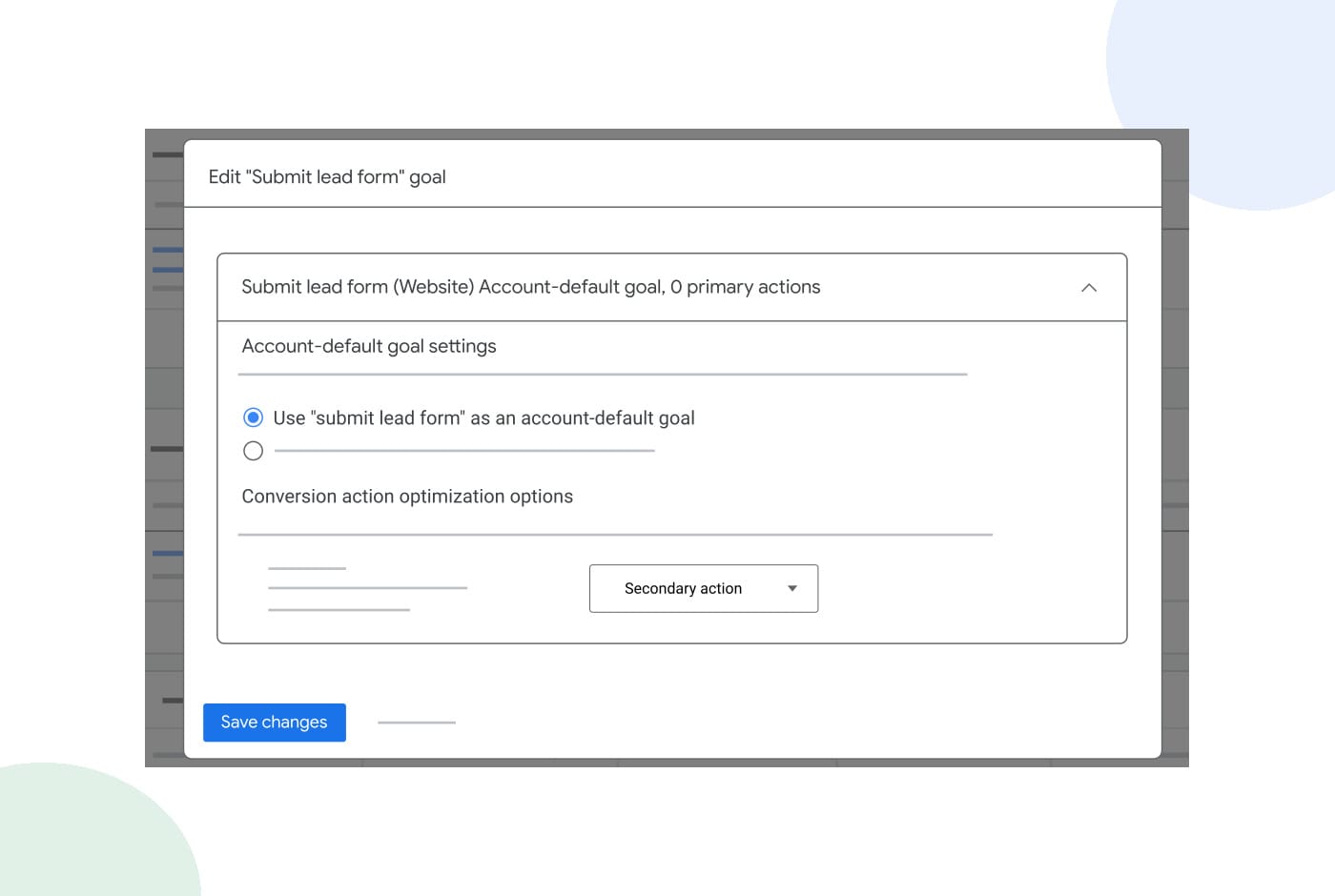
Changing a shared goal can affect other campaigns using it. Google’s conversion summary guidance explains account-default settings and action optimisation. Review that scope before saving a change, and agree on how the report will distinguish enquiries from booked work.
If you want help making that connection, talk with Joseph about our Google Ads management. We can review the goals, enquiry path and reporting with you before recommending what to change.
Questions owners ask about conversion totals
Is All conversions better than Conversions?
It is broader, not automatically better. Use it to examine additional tracked activity. Use the conversion-action breakdown and your business records to judge enquiries and booked work.
Why do I see a fraction such as 0.5 conversions?
An attribution model can distribute credit across ad interactions. A fraction is credited contribution, not half a person. Check the model and reporting breakdown before comparing it with whole enquiries in your records.
Should every secondary action be removed?
No. An earlier action can still help you understand what people do. Keep useful observation separate from the outcomes you intend to bid towards, and check the custom-goal exception before assuming a secondary action cannot affect bidding.
Do I need the new All conversions menu to do this?
No. You can inspect conversion actions in Summary and add conversion columns to campaign reports. Follow the labels available in your account rather than waiting for a reported navigation rollout.