
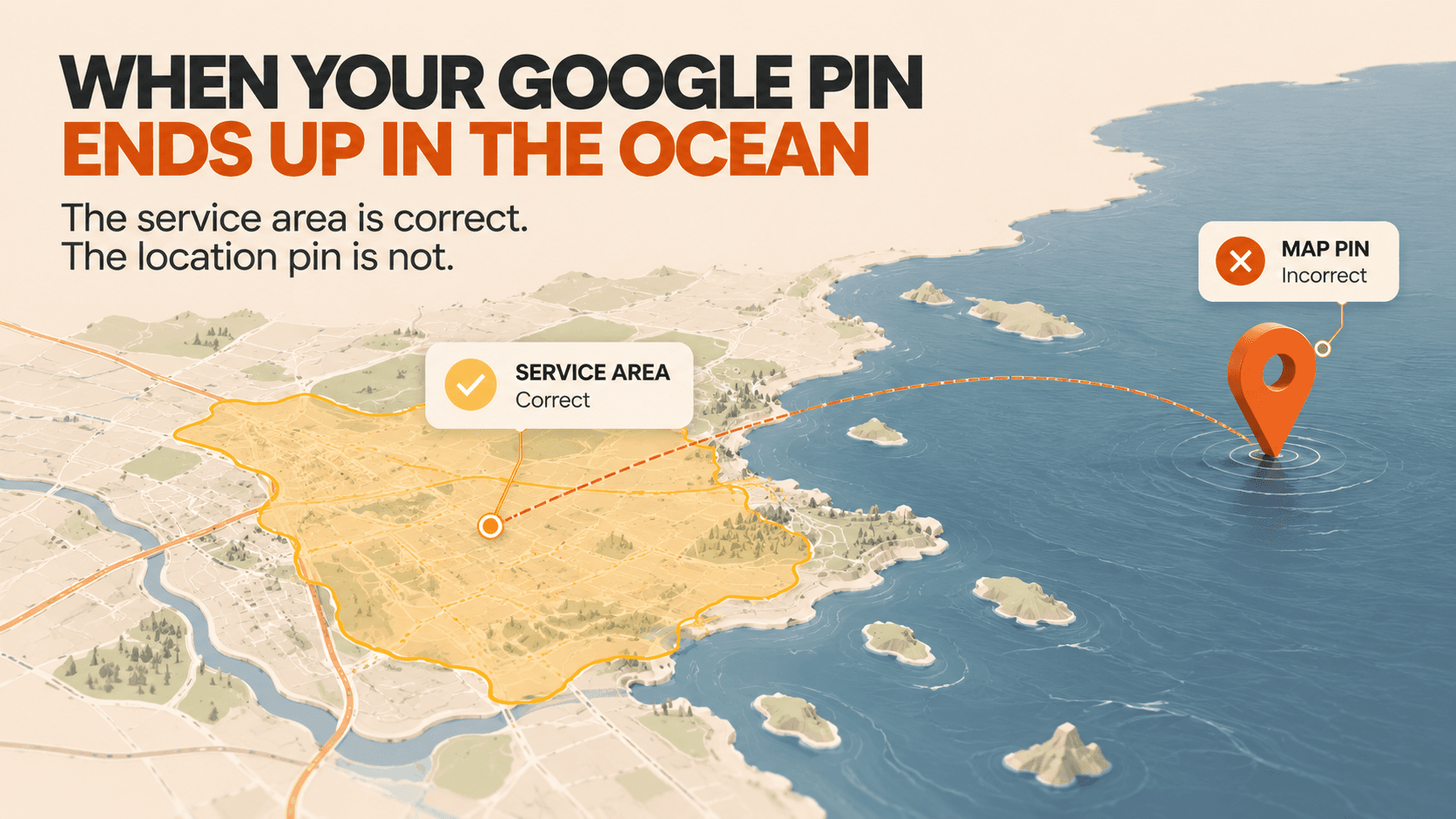
A new Google Maps bug is placing the map pin for some service area businesses in the middle of the ocean. It was reported on September 29, 2026, and several owners have confirmed seeing it on multiple profiles.
For a service area business, the pin is often the only geographic anchor on the listing. When it renders in open water, customers see a business located nowhere, and the proximity signals that local search and local ads rely on no longer line up with the area the business serves.
What the Bug Looks Like
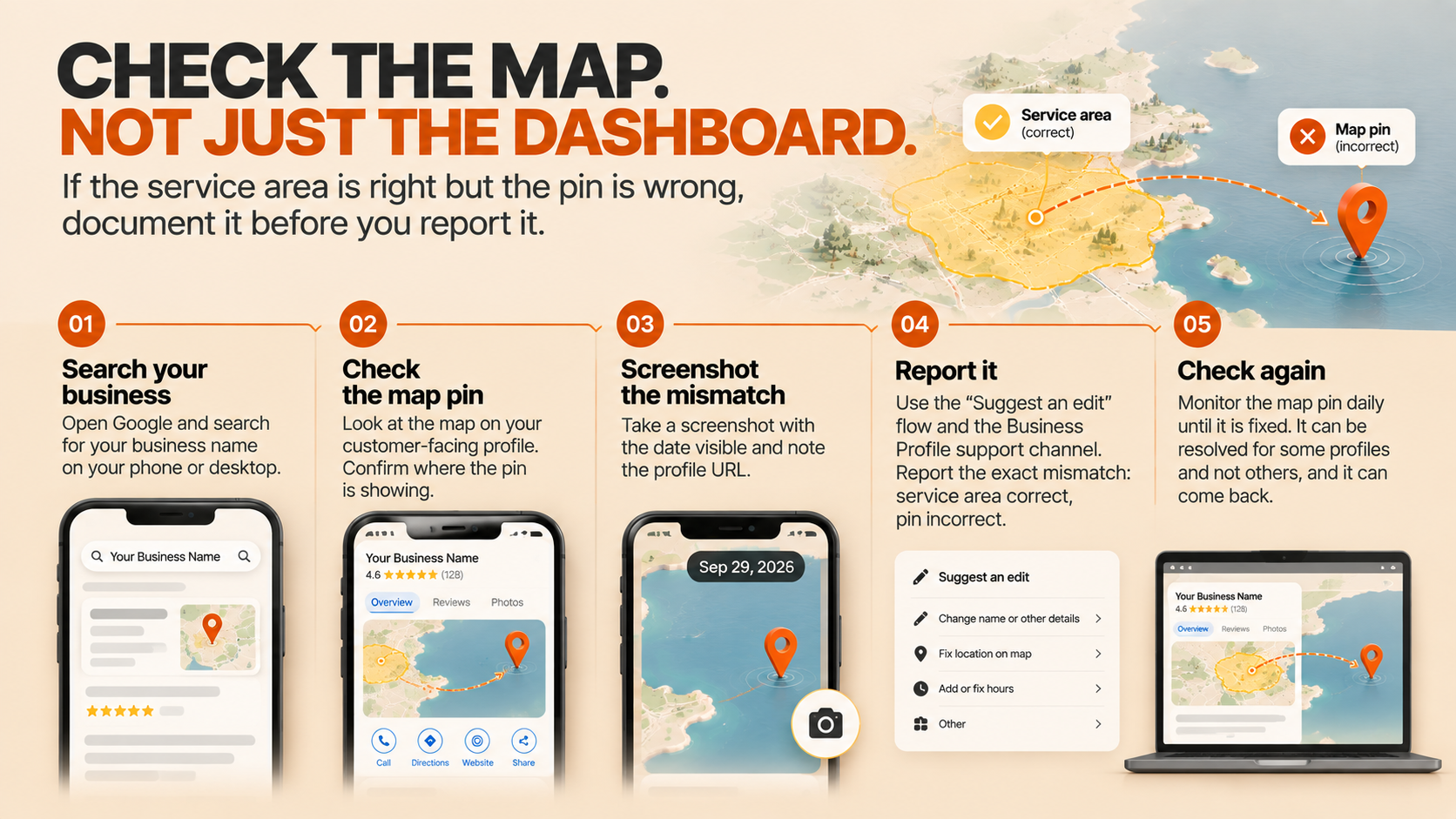
The service area is correct, the pin is not
Dipa Gandhi reported the issue on LinkedIn: for service area businesses, Google Maps shows the correct service area served, but the profile itself shows a pin marker in the middle of the ocean. She noted it is not a one off situation and she is seeing it on many profiles, with several others confirming in the comments.
The important detail is the mismatch. The service area settings are intact and the pin is wrong, which is easy to miss because the profile looks normal until you actually look at the map.
It hits businesses with a hidden address
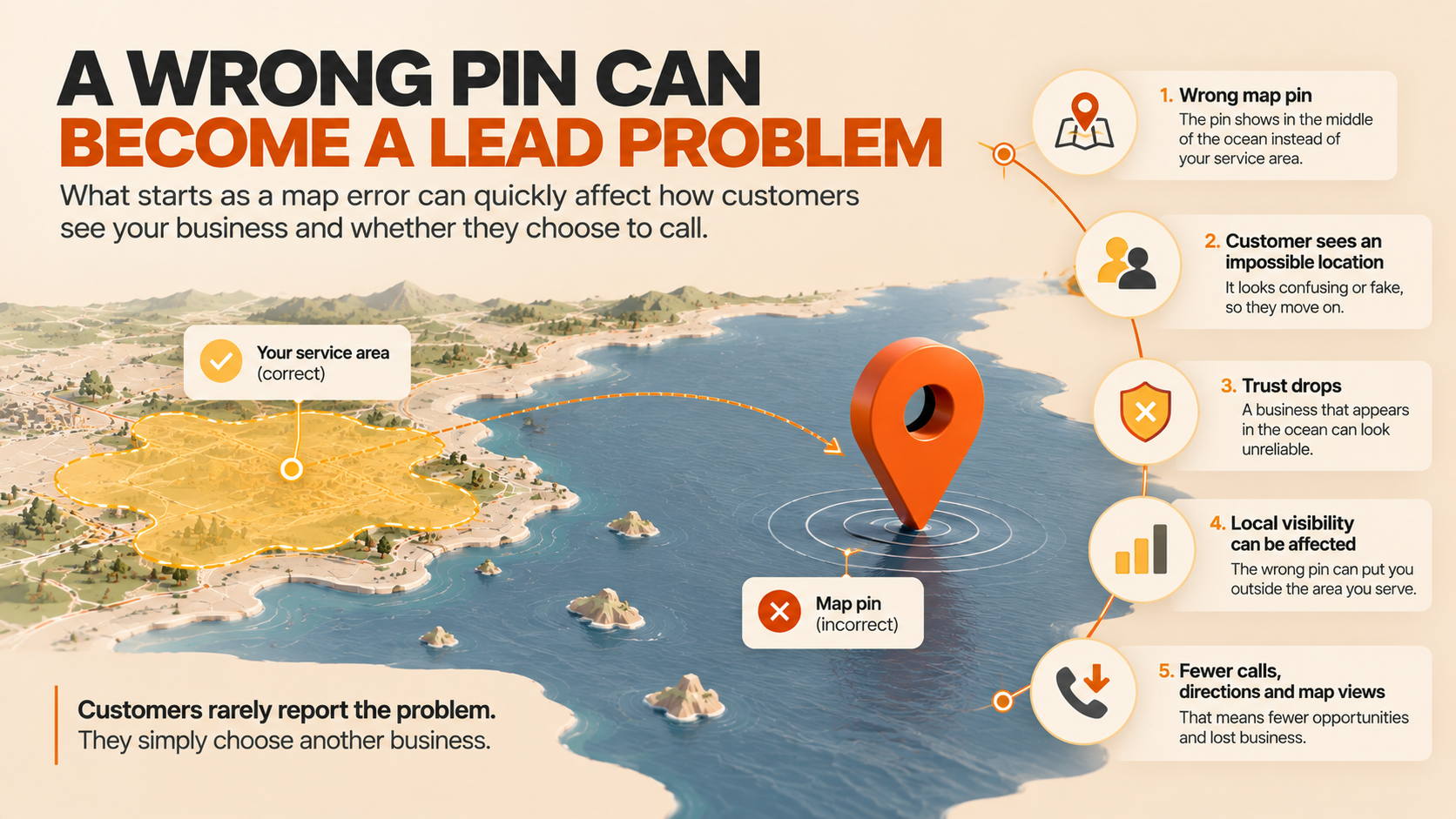
The bug is reported on service area businesses that do not list their address publicly, the standard setup for plumbers, electricians, cleaners, and other trades that travel to the customer. Google hides the address on purpose, and the pin is what substitutes for it.
Google has not published a statement on the bug, and it is not clear whether the company is aware of it yet.
Why Service Area Businesses Are Exposed
The pin is the only location cue
A storefront business has an address, a building, and a street view. A service area business has a service area and, in most cases, a pin Google places from the location the owner provided. If that pin moves to water, the customer loses the visual answer to the question every local search starts with: where are you.
Proximity still drives local results
Local rankings and local ad delivery lean on distance. A pin in the ocean can place the business far outside the market it serves, quietly removing it from results where it used to show.
The customer sees it too
The pin is not internal. It shows on the profile the customer opens. A pin in the middle of the ocean reads as a broken or fake listing at the moment someone is deciding whether to call.
Why a Wrong Pin Costs Real Leads
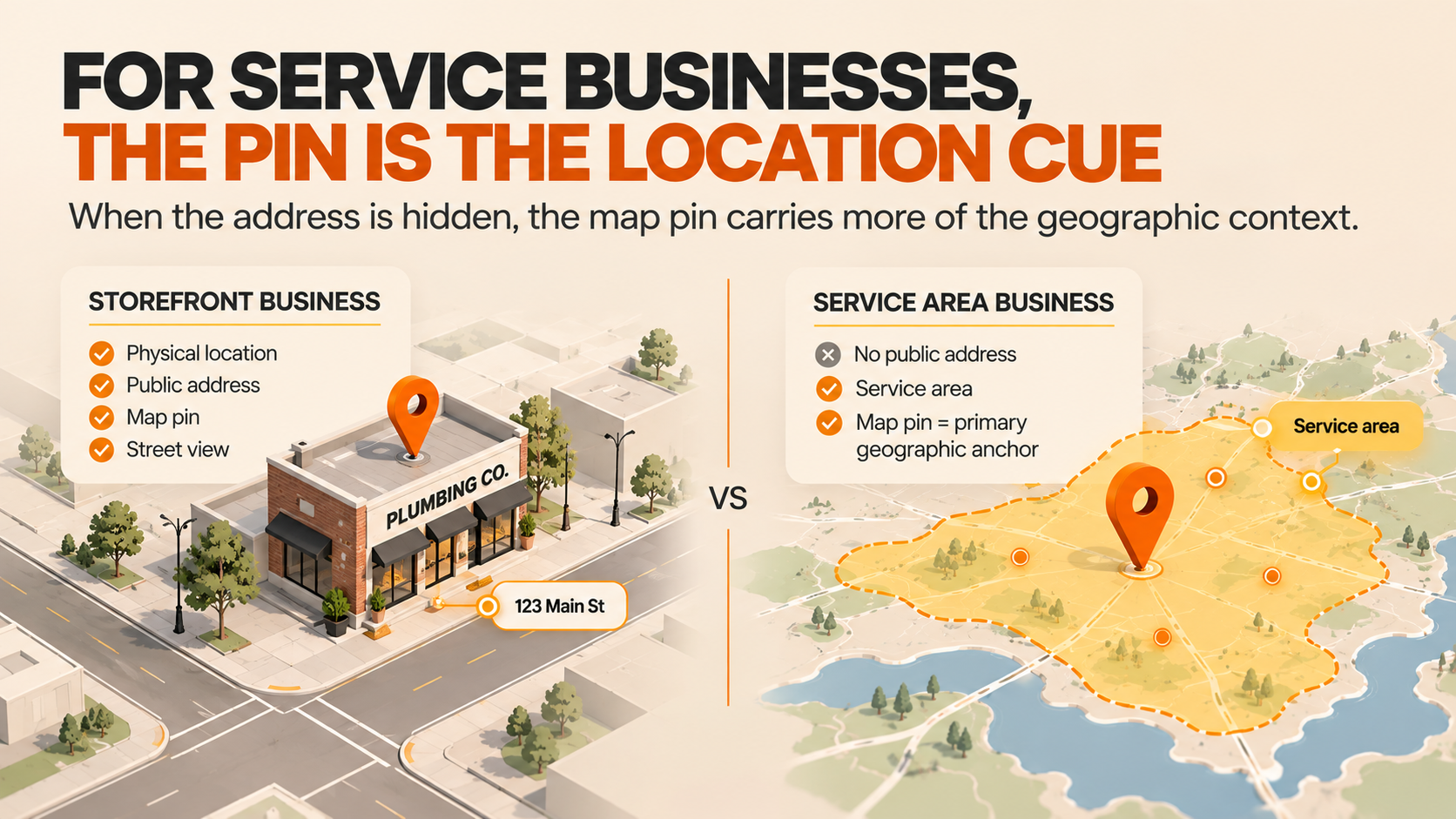
Trust drops first
Most people will not call a business that appears to float in open water. It looks like an error or a scam, and there are usually three competitors below it that look normal.
Directions and local ads break
A wrong pin breaks the directions request, because there is no real destination behind it. It also puts paid local placements on shaky ground, since those formats lean on the same location data as the free listing.
Nobody calls to say the pin is wrong. They just choose someone else. Damage from a location bug shows up as a slow drop in calls, direction requests, and map views, which is why an automated check beats waiting for someone to notice.
What to Do Right Now
1. Look at your profile like a customer
Open your business profile on a phone and on desktop, search your business name, and look at the map. Do not rely on the dashboard. The bug lives on the customer facing surface. If your service area is right and your pin is in water, you have it.
2. Record what you see
Take a screenshot with the date visible and note the profile URL. Google does not show a history of pin positions, so a dated record is the proof you will need if you escalate.
3. Report it and escalate
Use the profile's Suggest an edit flow and the Business Profile support channel. Report the exact mismatch: service area correct, pin incorrect. If you manage multiple locations, say how many are affected, because a pattern gets attention faster than a single report.
4. Watch it daily until it clears
A bug like this can be fixed for some profiles and not others, and it can come back. A daily check of the pin takes seconds and catches a rebreak before it costs another week of calls.
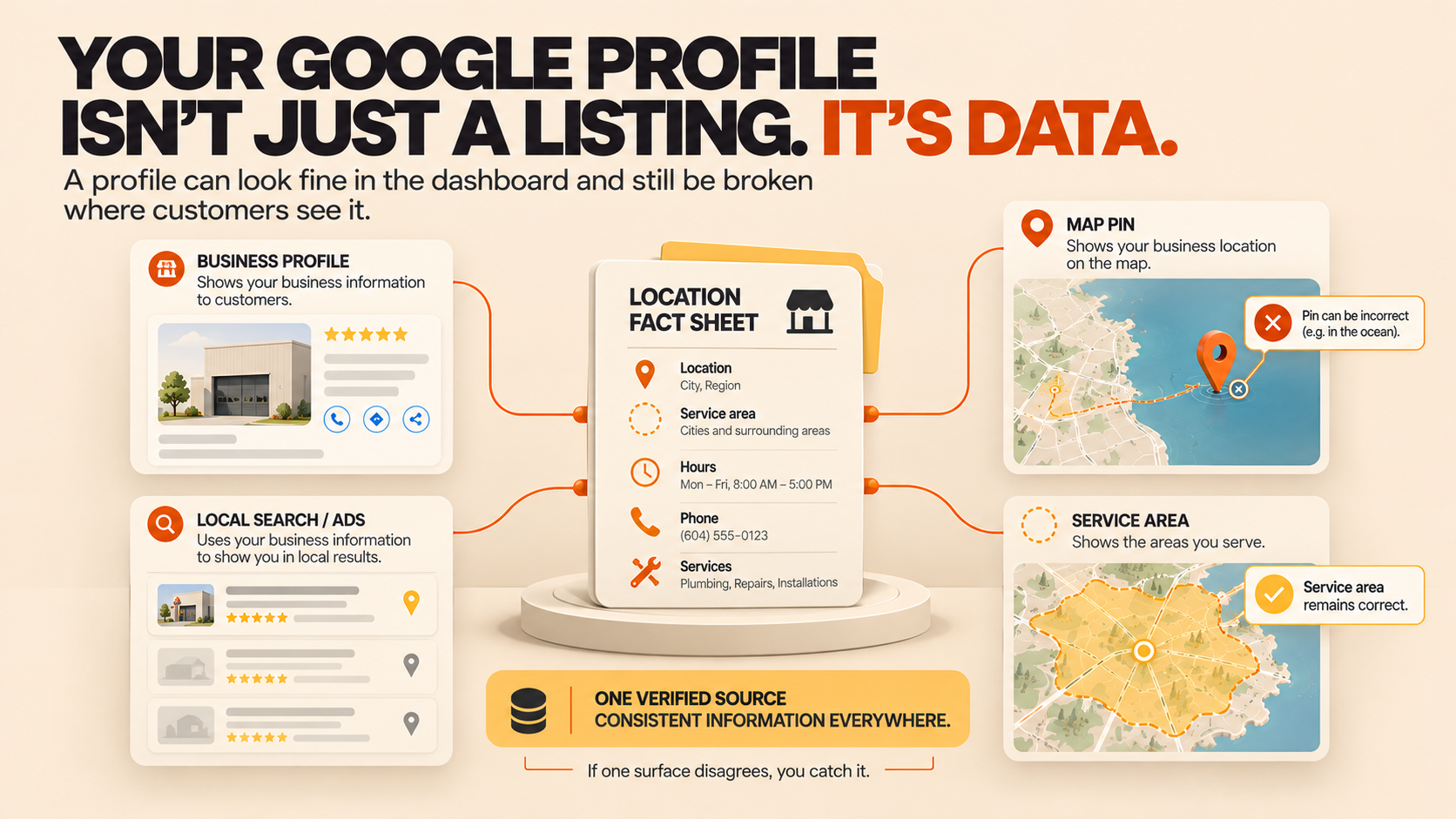
5. Keep one source of truth
Most businesses have no single verified record of their own location facts, which is why a location bug hurts so much. If the address, the service area, and the pin live in one place, any surface that disagrees is obvious. The same discipline protects hours, phone numbers, and services when a user suggested edit or a contributor upload touches the profile.
The Bigger Pattern
This bug is the latest reminder that the data on your Google listing is not fully under your control. In recent weeks owners have dealt with user suggested edits that get four days to accept or reject, contributor photos carrying a fake phone number, and now a pin that renders in the wrong place on its own.
The businesses that come through these incidents without losing revenue treat the profile as governed data. They keep one verified fact sheet per location, monitor the customer facing surface daily, and have a documented response ready before anything breaks.
A profile that looks fine in the dashboard can still be broken where customers see it.
If you would rather not watch your own listing every day, see how we manage Google Business Profiles for service businesses on our Google Business Profile service page.
FAQ
Is this bug affecting my business?
It is reported on service area businesses that do not show a public address. Open your profile on a phone, check the map, and confirm the pin sits where you actually work. If your service area is correct but the pin is in water, you are affected.
Will Google fix it automatically?
Google has not acknowledged the bug, so there is no published fix timeline. Some profile issues clear on their own. Others need a report and a follow up. Treat it as unresolved until you can confirm your pin is back.
Does a wrong pin hurt my rankings?
Location is a factor in local results and local ads. A pin outside your market can pull you out of the results where you used to appear, even if everything else on the profile is unchanged.
Should I add my address to fix it?
Not as a reflex. Adding a public address can trigger verification and change how your profile is presented. Only change it if your business genuinely serves customers at that location and you are ready for the review that usually follows.
How often should I check my pin?
Check it daily while the bug is active, and weekly after that. It takes under a minute and is far cheaper than a week of silent lead loss.
The ocean pin bug is a reminder that the map presence customers see is not fully yours to control. The fix on your side is simple: check the customer facing profile, keep a dated record, report the mismatch, and keep one verified fact sheet so a broken surface is impossible to miss.