
If someone demands payment or favours to remove negative Google reviews, do not pay or negotiate. Preserve the messages and review links, then use Google's dedicated merchant extortion reporting route. Google describes this pattern in its review extortion guidance.
For a plumber, electrician, or other local service business, the immediate challenge is practical: the office still needs to answer calls while someone collects the evidence. A messy response can leave screenshots scattered across phones, staff replying independently, and nobody responsible for the next step.
The response plan below gives a small team a way to organise the incident. It combines Google's reporting guidance with a recommended workflow for ownership, evidence, and follow-up. It cannot promise that Google will remove a review or make a decision by a particular date.
Is it extortion, spam, or a genuine complaint?
A low rating alone does not establish extortion. First identify what happened, then choose the route that matches the evidence.
A customer is unhappy with the service
Check the job details and give a useful, factual response. A complaint may expose something the business needs to fix. Google's review reporting guidance says disagreement or dislike is not a reason for removal; only policy violations qualify.
A review appears to violate Google's policies
Use the ordinary review-reporting process and explain the relevant concern. Keep the review link and your notes. An unfamiliar name is a reason to investigate, not proof that the person was never a customer: bookings may use a different name or come through a property manager.
Someone demands something in exchange for removal
Preserve the direct demand and assess it alongside the reviews. Google's dedicated extortion channel is for businesses directly subjected to this kind of demand. Use the official route rather than a removal offer sent by the person contacting you.
Sterling Sky's review extortion article describes the connection between suspicious reviews and demands for payment. The useful lesson for an owner is to connect the evidence, rather than treating each message and review as an unrelated task.
Give the incident one owner
Choose one person to coordinate the response and one backup. For a small trades business, that might be the owner and office manager. Tell everyone else where to forward relevant messages and who can approve any public reply.
Create a private incident folder with a short internal name, such as review-incident-october. Keep it separate from the ordinary customer-service queue, while allowing genuine customer complaints to continue through that queue.
The coordinator should be able to answer three questions without searching through a group chat:
- What evidence have we saved?
- What action have we taken?
- Who is responsible for the next check?
Avoid asking several people to send slightly different versions of the same story. One maintained case summary makes internal coordination easier. This is a team-management recommendation, not a claim about how Google prioritises reports.
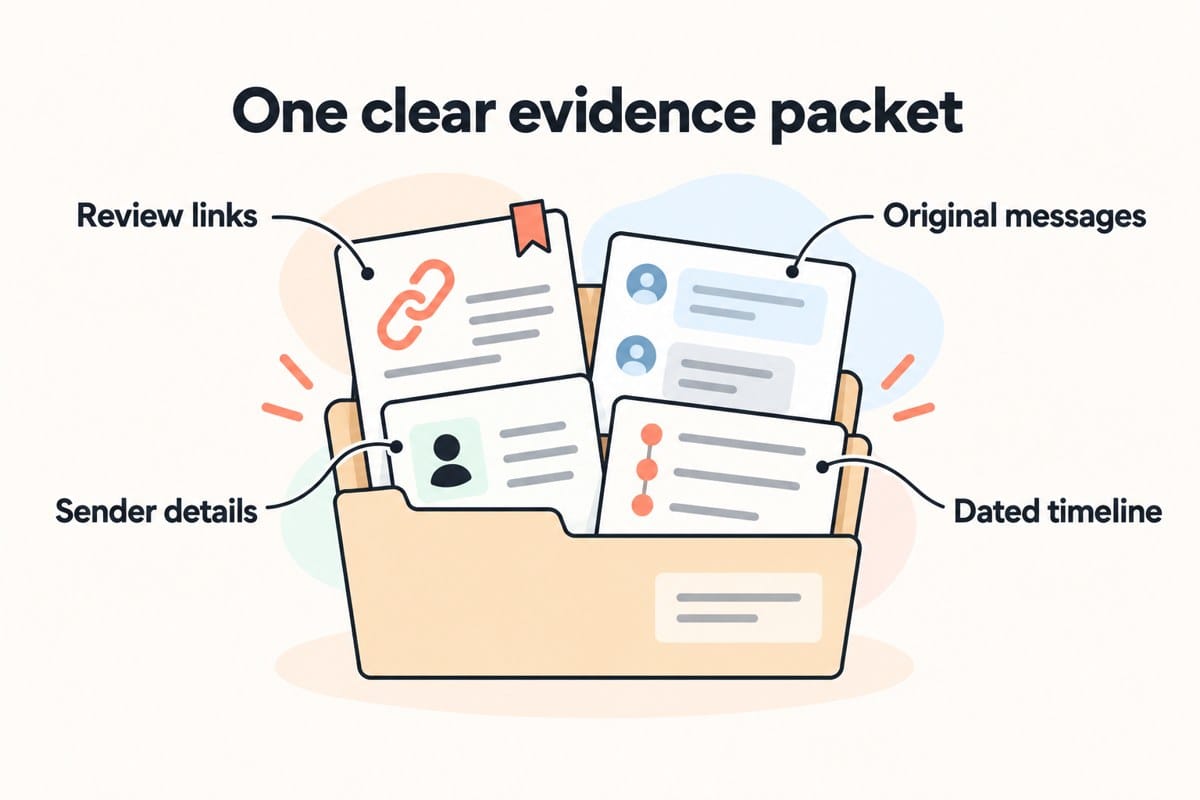
Build one evidence packet before reporting
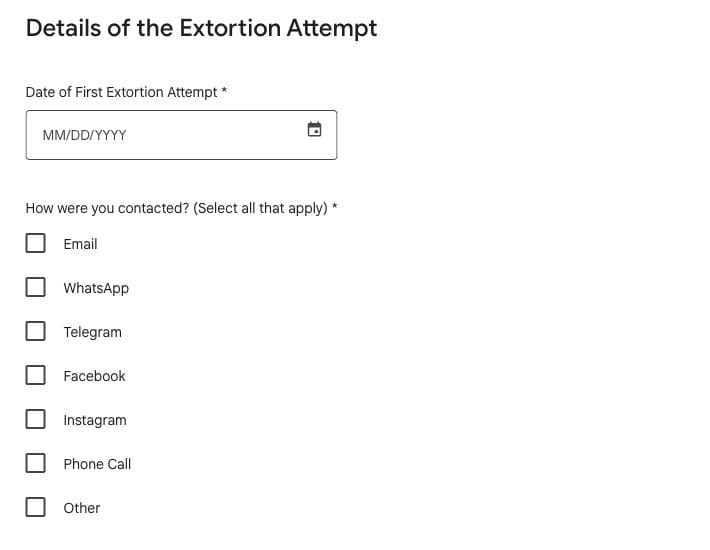
Google's Merchant Extortion form asks for business details, suspicious review information, the contact method, details of the demand, and supporting files. Prepare those materials before opening the form.
Keep the original messages
Save clear copies showing the demand, sender, and visible dates and times. Include the surrounding exchange where it provides context. Retain the original email or message as well as a screenshot when possible.
Do not edit a message to make it sound more definite. If part of the conversation is unavailable, say so. Store the originals in a restricted folder, and use separate copies if you need to prepare a summary for colleagues.
Collect links to the affected reviews
Record each suspicious review's direct link, reviewer name, visible text, and date. Save a screenshot too. A link helps locate the review; the saved copy records what your team observed at that point.
Add a separate note explaining why you believe a review belongs to the incident. Distinguish observations from conclusions. For example, “the sender linked this review in their message” is stronger and more specific than “all recent negative reviews are fake.”
Write a short timeline
Put the first observed review activity, first demand, evidence capture, and reporting actions in order. Include the time zone where it matters. If you only know an approximate time, label it as approximate rather than inventing precision.
Finish with a short factual summary that someone outside the business can understand. Explain what was requested and how the messages relate to the reviews. Leave speculation about competitors or motives out unless you have evidence to support it.
Submit through the right Google route
An authorised person should review the packet and submit the merchant extortion report. Provide accurate information and keep a copy of the submission and any confirmation received. Use Google's official pages directly instead of links supplied in threatening messages.
For a separate policy-violating review, Google's ordinary reporting process includes a status check through the Reviews Management Tool and a one-time appeal option after an unsuccessful removal decision. That process and the extortion report serve different purposes. Follow the relevant Google reporting instructions for the issue you actually have.
Record which route you used. Do not mark a review “removed” just because a report was submitted. Keep submitted, awaiting decision, and observed outcome as distinct entries in your internal record.
Use automation to organise, with human approval
The most useful automation here handles administration. It should make the coordinator's work easier while leaving decisions with a person.
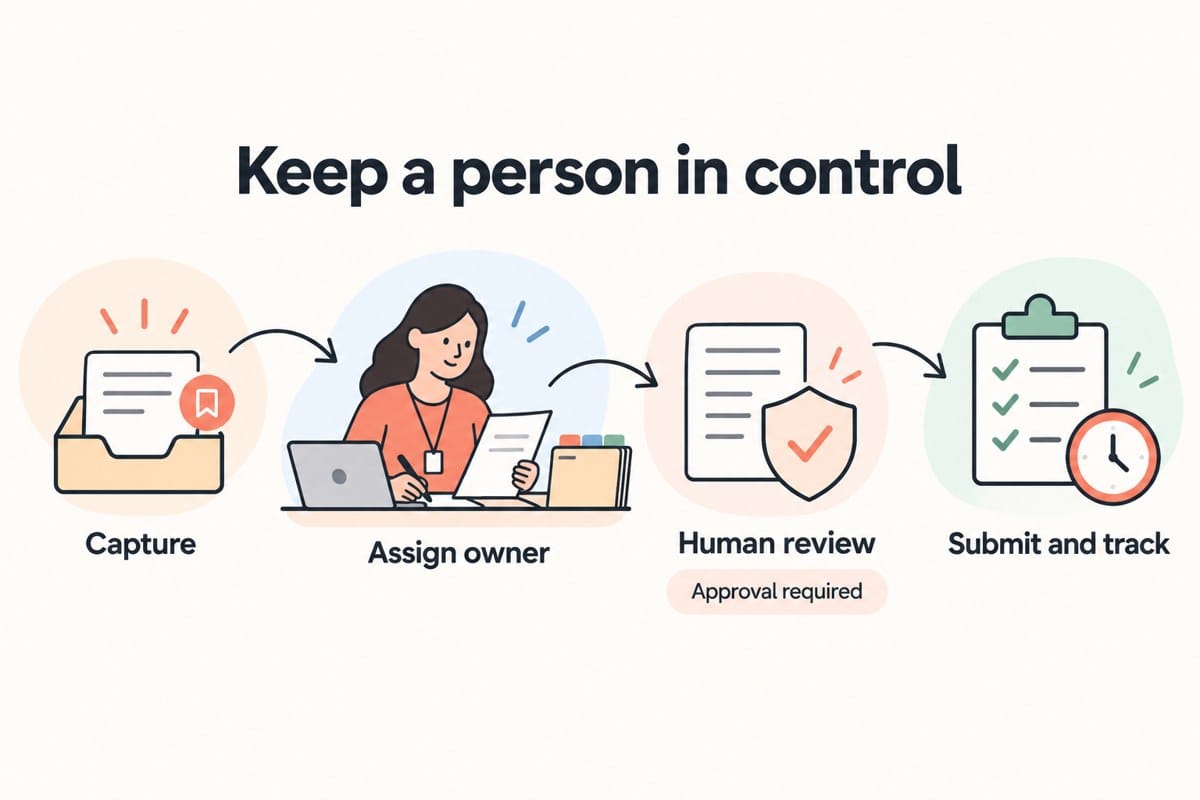
A recommended small-business workflow is:
- Capture: a staff member forwards a relevant message or review notification to the designated incident inbox.
- Assign: a task goes to the coordinator, with a link to the private evidence folder.
- Review: the coordinator checks the original evidence, confirms the appropriate route, and approves the next action.
- Submit and track: an authorised person reports the incident and records the confirmation, status, and next check.
An AI tool could help draft a timeline or extract dates from supplied messages. Treat that output as a working draft and compare it with the originals. The tool must not fill missing details, decide that someone is a scammer, or turn uncertainty into a confident accusation.
Do not let a low rating automatically trigger a public reply or removal report. Route it to a person who can investigate. Keep private customer details out of public responses, and avoid copying a whole customer database into an incident summary when a narrow record will do.
These are recommended workflow safeguards. They are not claims that JC Labs has deployed a Google extortion-reporting integration or can influence Google's moderation decisions.
A worked example for a local trades team
Consider a hypothetical plumbing business in Delta. The office notices unfamiliar negative reviews, then receives a message offering to remove them for payment. This is an illustrative example, not a JC Labs client case or a reported result.
The office manager saves the message and the linked reviews. She forwards the evidence to the owner, opens a private folder, and records when each item was observed. She checks booking records but does not assume that every unfamiliar reviewer is part of the incident.
The owner reviews the material and separates two tasks. The direct demand goes into the extortion evidence packet. A different review describing a real missed appointment stays in the customer-service queue so the team can address it honestly.
A reminder prompts the office manager to check for updates at the team's chosen interval. When a decision arrives, she records the actual outcome. If the available evidence does not establish a connection between a review and the demand, that uncertainty remains visible in the notes.
The benefit of this process is a clear handoff. The business can continue serving customers while a named person manages the incident. Whether Google removes particular reviews remains a separate decision.
Track the response, not just the star rating
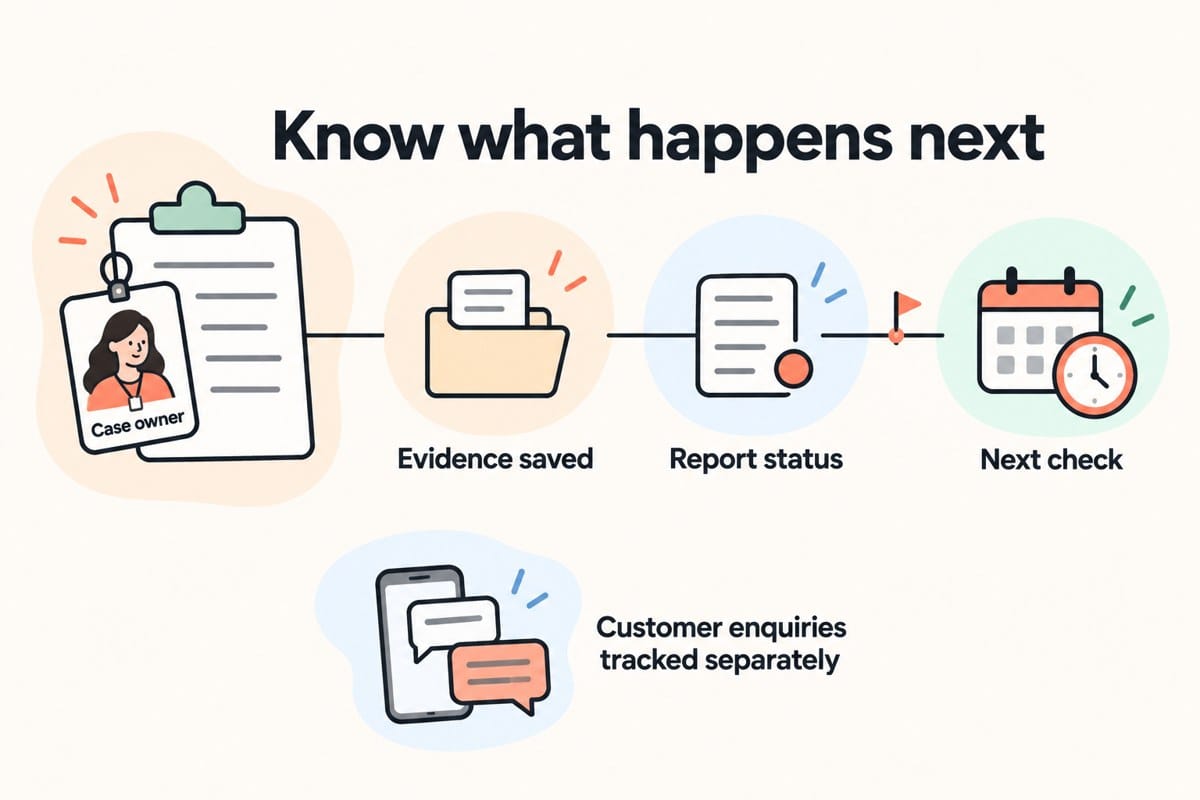
A star rating cannot tell you whether the team has completed its work. Use a short incident record that includes:
- Case owner and backup.
- Evidence folder and affected review links.
- Report route and submission date.
- Confirmation or reference, if provided.
- Current status and last checked date.
- Next action and responsible person.
- Outcome, including anything still unresolved.
For internal improvement, measure the time between discovery and assignment, whether the evidence packet was complete, and whether follow-ups happened when planned. These measures show how reliably the team handled the work.
Track customer enquiries separately. Calls, qualified enquiries, and booked jobs are different measures. A change in any of them may also reflect seasonality, advertising, availability, or other business changes. Do not attribute a sales increase or decline to a review incident just because the timing overlaps.
Frequently asked questions
What should I do first after a demand for review removal payment?
Save the original communication and related review links. Assign a coordinator so evidence collection and the reporting decision have a clear owner. Google's guidance advises against paying or engaging with the sender.
What if suspicious reviews appear without a demand?
Use the ordinary policy-violation reporting route where appropriate. Suspicion alone does not establish an extortion attempt. Keep investigating and preserve any relevant evidence.
Can Google guarantee review removal or a deadline?
Do not plan around a guaranteed outcome. Google's extortion guidance describes an investigation and notification of the result; it does not offer a fixed completion deadline or guaranteed removal.
Should I publish the threatening messages in a review reply?
Keep the evidence in the private case packet. Any public reply should be factual, restrained, and approved by a person. Publishing sender details or customer records can create an additional problem without improving your internal response.
Can AI run this process for us?
It can assist with organisation and drafts, subject to appropriate access and human checking. Keep reporting decisions, factual conclusions, and public replies under human control. An organised folder and clear responsibility are enough to start.
Make review handling part of normal profile management
Set up the folder, coordinator, and approval rule before an incident happens. The same habits help a team respond consistently to ordinary customer feedback, without mixing legitimate complaints with suspected abuse.
JC Labs' Google Business Profile management includes review response support and ongoing profile care. Explore that service if you want to discuss how review monitoring and staff handoffs fit into your local presence. The incident workflow in this guide is a practical recommendation; Google's moderation outcome remains outside the business's control.