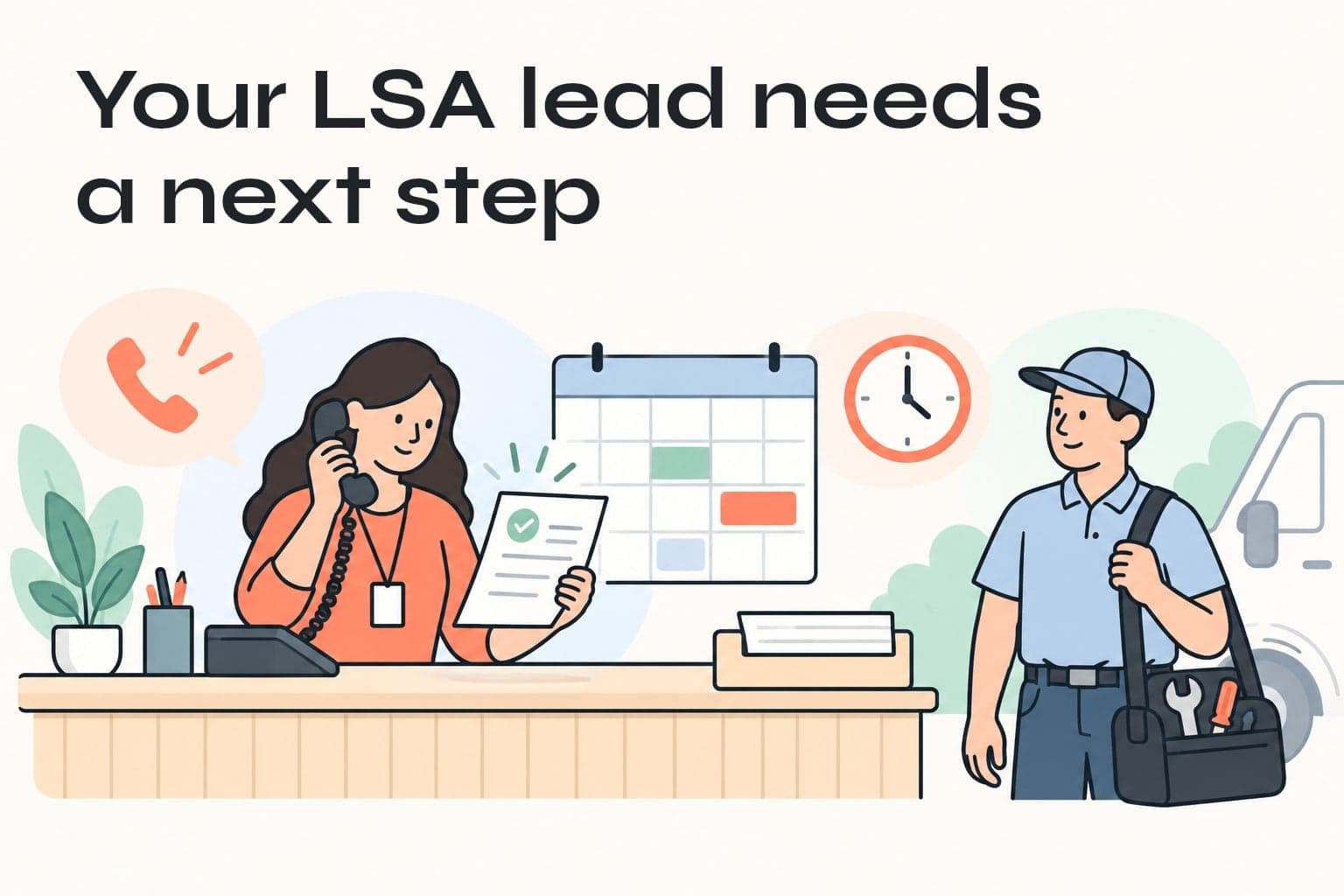
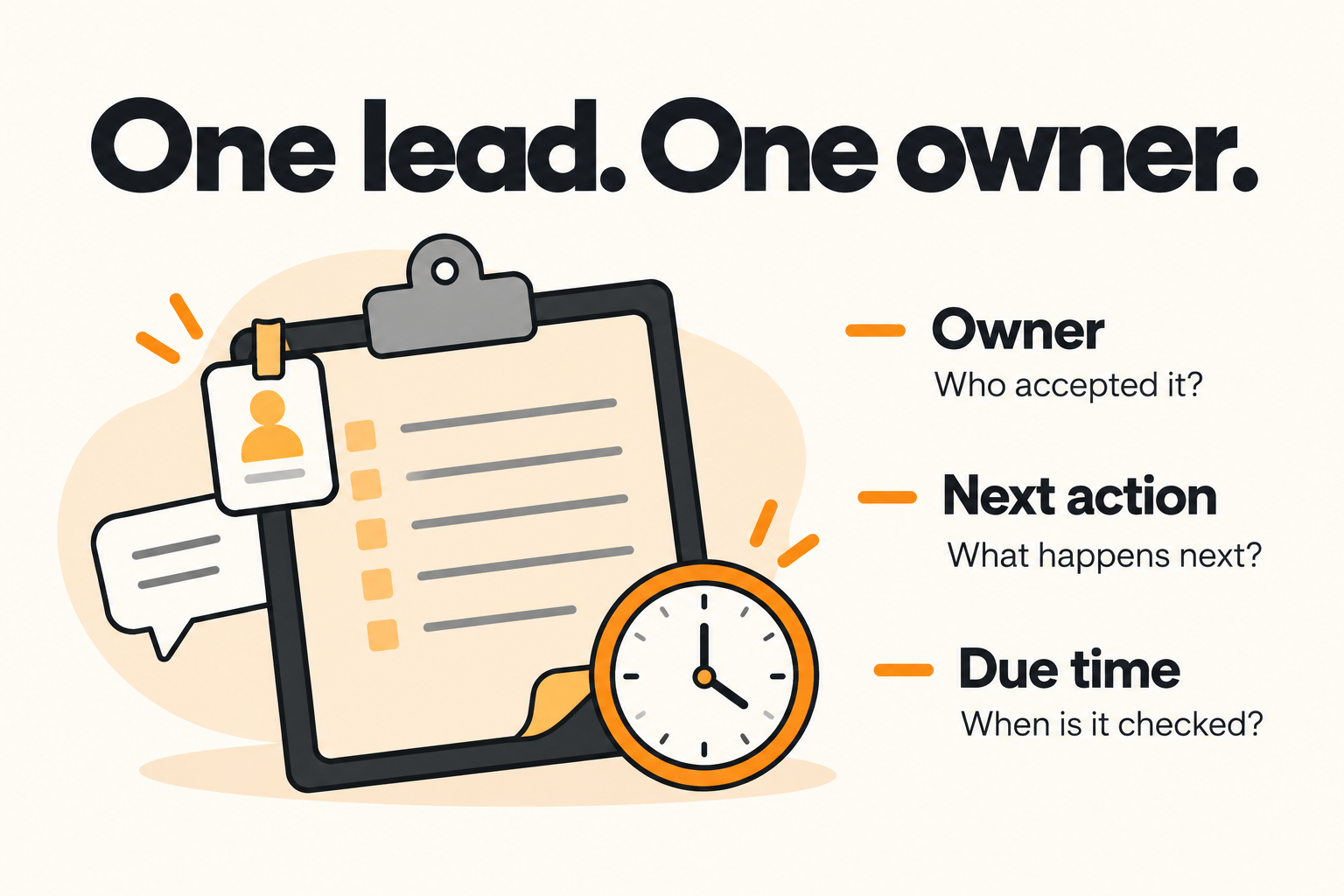
Local Services Ads follow-up works best when every enquiry has one owner, one next action and a due time. For a local trades business, start by checking where calls and messages arrive, then give a named person responsibility for moving each suitable request toward a confirmed next step. An answered enquiry still needs follow-through.
That is often where the gap appears. The office replies, the technician needs more information, and the customer waits while everyone assumes someone else is handling it. Before buying more leads, make that handoff visible.
Why responsiveness matters for Local Services Ads
Google includes responsiveness among the factors in its Local Services Ads auction. Missed calls can count against responsiveness, alongside other factors such as relevance, bids and profile quality. Faster handling is one part of the system, not a guarantee of a particular ad position.
WorkZen's 2026 contractor guide to Local Services Ads, dated October 4, highlights the connection between lead handling and campaign performance. Its practical implication is worth taking further: the business needs a response process that continues after the first contact.
A receipt, a helpful answer and a booked appointment are different events. Measure them separately. A quick automated acknowledgement can tell someone their request arrived, but it cannot establish that a person has checked the work, price or availability.
Separate Google's lead record from your sales outcome
Use two sets of information in your lead register. One records what the advertising platform reports. The other records what your team has established about the request.
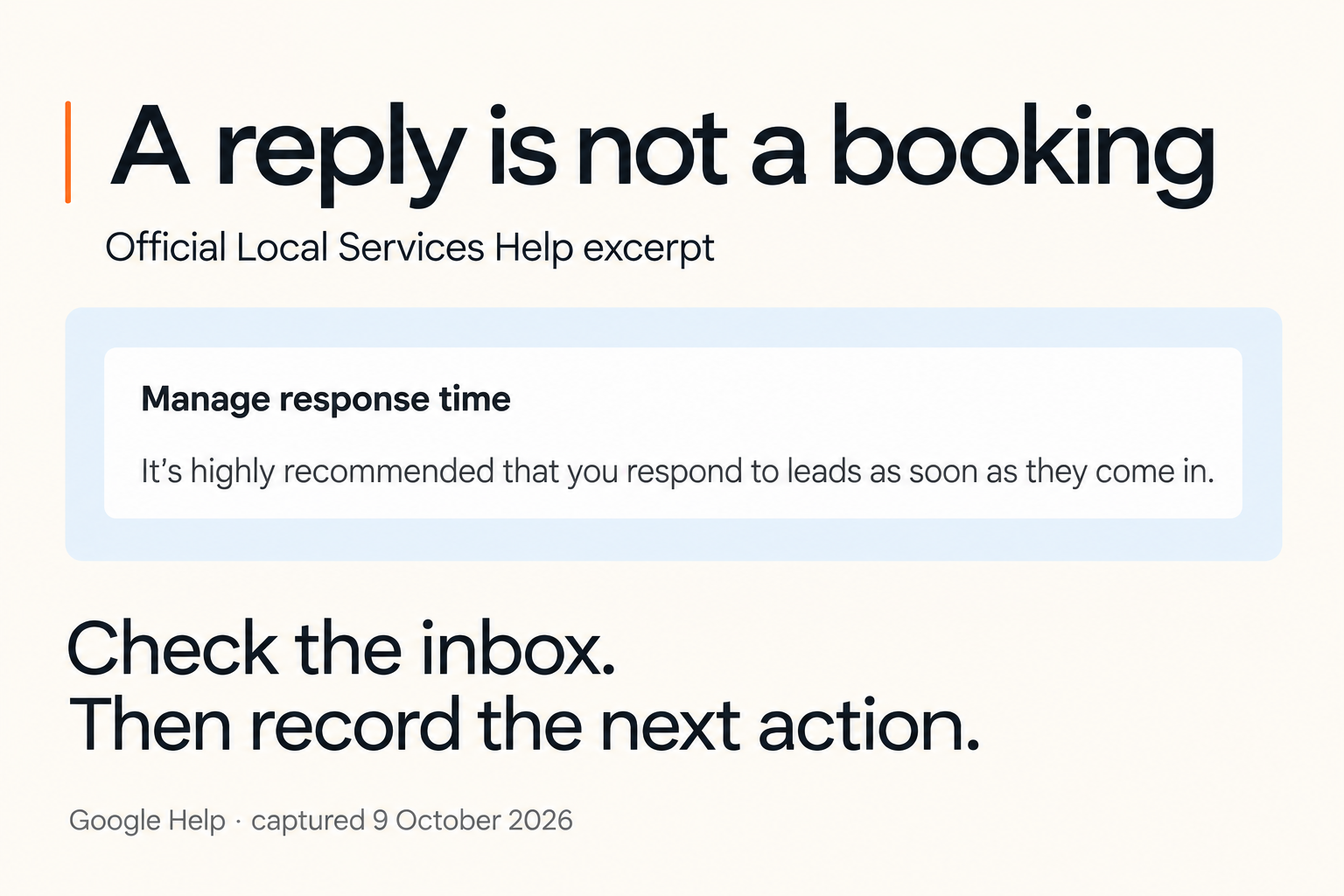
Google's lead-management guidance says responding moves a new lead into the active inbox. Treat that as a conversation status. It does not confirm that your team accepted the job or that the customer booked.
Keep these business outcomes clear:
| Outcome | What your team has established | What happens next |
|---|---|---|
| New | The enquiry arrived and is awaiting review | Assign an owner and check the request |
| Qualified | The service, location and timing fit | Agree the next step with the customer |
| Waiting | Information or a customer decision is missing | Record what is missing and when to follow up |
| Booked | The customer and business have confirmed a specific appointment | Record the agreed details and stop enquiry reminders |
| Closed | The request will not proceed | Record a reason and stop follow-up |
These are recommended internal labels. Use equivalent fields in your existing system if they mean the same thing. Keep Google's charge or credit status in a separate field, so a billing decision cannot silently become a sales decision.
A charged enquiry can fail to book. A qualified enquiry can still be waiting. A booked visit can later cancel. The register should preserve those distinctions.
Build a follow-up process your team can actually run
1. Confirm the intake route and coverage
The owner and office coordinator should check the business number, lead inbox, notification destination and who covers each working period. Review calls and messages separately. A phone rota does not prove that someone is watching message enquiries.
Google documents reply options through its lead inbox and notifications. Follow the route actually available in your account. SMS notifications are US-only, and message leads are unavailable for health care categories and tax specialists. A Canadian contractor should not build coverage around receiving an SMS alert.
Write down the primary person, backup person and the time coverage changes. The check is simple: both people can find the request and explain who owns it now. Use an approved internal test or reconcile a genuine recent enquiry. Avoid creating chargeable customer enquiries just to test notifications.
2. Capture one record and assign one owner
Use the platform's lead reference where it is available. Otherwise, create a stable internal reference and retain a link back to the original enquiry. Record the arrival time, channel, requested service, area and only the contact details the team needs.
Assign the request to a named person. An email forwarded to three colleagues leaves ownership unclear. An office queue is useful only when someone is responsible for checking and accepting its tasks.
Require the owner to acknowledge the assignment. If it is not accepted within your agreed staffed-hours target, alert the backup. Choose that target from actual staffing and customer needs, then review whether it is realistic. A universal five-minute rule is not a substitute for coverage.
3. Qualify the request before promising a slot
The enquiry owner checks three things: can the business do this work, can the crew serve the location, and does the requested timing fit available capacity?
For a hypothetical electrical contractor, “Can you upgrade our panel?” needs a different next step from a small repair. The coordinator may need the property area and enough job information for an estimator to assess the request. Record an estimate appointment separately from a confirmed installation booking.
A useful first reply names what happens next. For example:
Thanks for asking about a panel upgrade. Which area is the property in? Our office will confirm whether we can arrange an estimate visit and explain what information the estimator needs before offering a time.
Adapt the wording to the services and commitments your business can support. Do not promise an arrival window until the person controlling the calendar confirms it.
4. Leave a next action whenever you hand over
Before passing the request to an estimator or technician, record what has been checked, what is still missing and who will act next. The receiving person should accept that handoff.
“Please follow up” is too vague. “Office coordinator to ask for the requested job photo tomorrow morning if it has not arrived” gives the next person a task they can complete and verify.
Keep this minimum record beside each open enquiry:
- Lead reference and arrival time
- Requested service and area
- Current owner and backup
- Last meaningful customer contact
- Current outcome and missing information
- Next action and due time
- Link to the original conversation
5. Close the loop and stop unnecessary reminders
When the customer replies, cancel generic no-response reminders and give the owner a new task based on that reply. When an appointment is confirmed, switch to the appropriate appointment process. When a request is declined, lost or withdrawn, record the reason and stop the sequence.
Agree a modest follow-up policy for unanswered requests. Set a useful purpose for each contact, such as obtaining the missing detail or confirming whether the customer still wants an estimate. Use an appropriate business channel and honour requests to stop. Repeated messages without new value can make the experience worse.
The owner checks the open list before the end of their shift. Every remaining request should have a person and a future action, including the ones waiting on the customer.
Automate the reminders, keep the decisions accountable
Start with an internal task workflow before adding automatic customer messages. The trigger is a new or changed enquiry received through an authorised, supported connection. The source is the original lead record, not a guessed extraction from an unrelated inbox.
The workflow can match the lead reference, update its existing record, assign an owner and create the next task. Keep one task for each action so repeated notifications do not create duplicate assignments. If no suitable connection is available, the same register can be maintained manually.
Use an approved service list and coverage rota for routing. An AI assistant can draft a concise handoff from the conversation, but a person checks uncertainty, scope and customer commitments. Pricing, availability and acceptance remain with the responsible staff member.
Build a visible failure path:
- Missing owner: place the request in a monitored exception queue and notify the backup.
- Failed or stale connection: mark the intake check incomplete and have the office inspect Google's inbox directly.
- Ambiguous job or location: ask a person to qualify it before routing to a crew.
- Customer reply or closed outcome: stop pending generic reminders and reassess the next action.
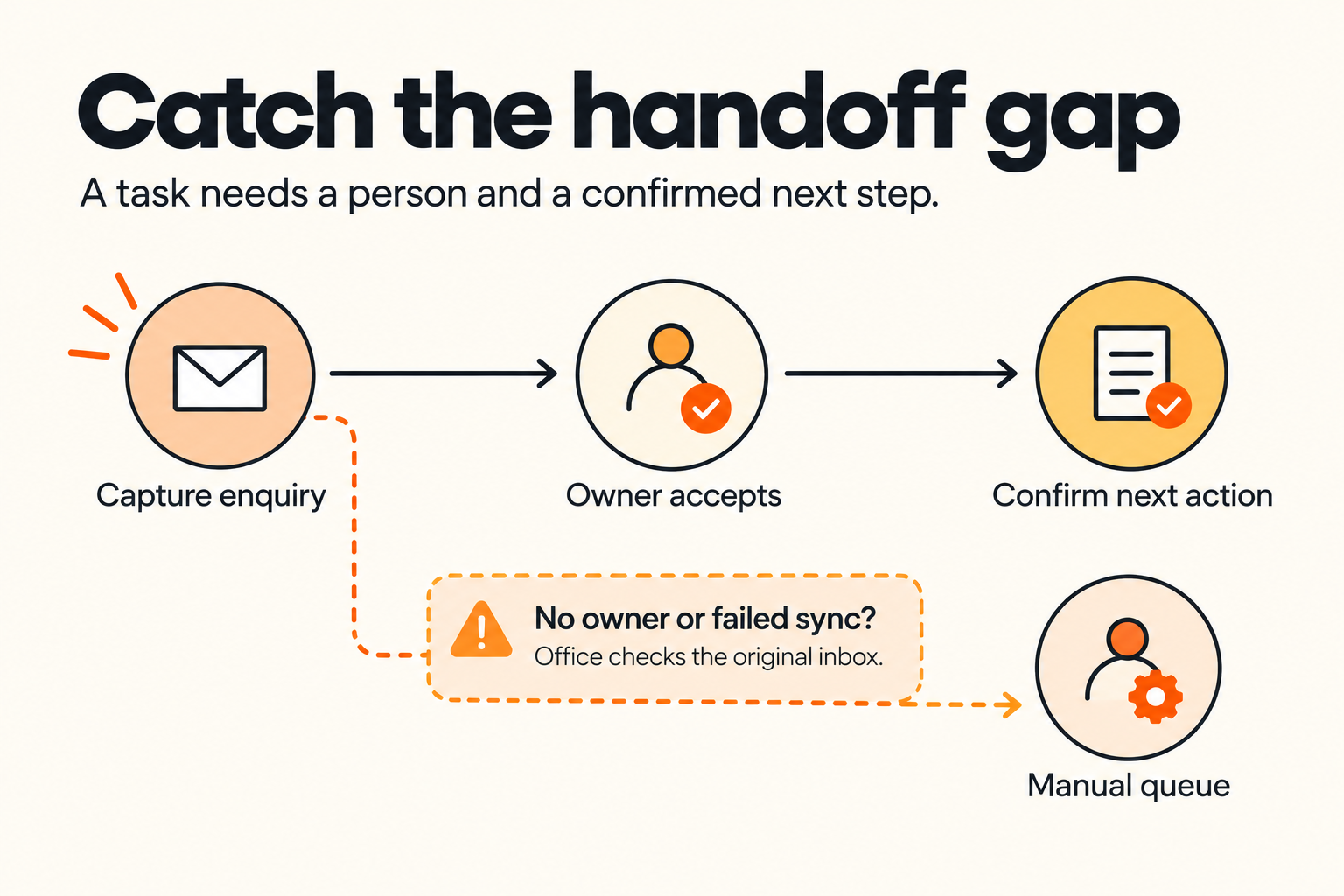
Check the intake against the platform's original records each working day. A healthy-looking automation log cannot prove that every enquiry was captured. The useful success measure is fewer suitable requests without an owner or next action, followed by confirmed booking outcomes.
A worked example: the enquiry that waits for a photo
Consider a hypothetical electrical business with an office coordinator and an estimator. These times illustrate a chosen operating process, not a Google requirement or a JC Labs client result.
A message arrives at 10:05 AM asking about a panel upgrade. At 10:07, the coordinator accepts ownership. At 10:12, the coordinator asks for the property area and explains the estimate process. The customer replies, but a requested job photo is still missing.
The coordinator records the request as waiting, with a next action for the following morning. The estimator receives the context but does not become the owner until accepting the task. If the photo arrives that afternoon, the waiting reminder stops and the coordinator requests the estimator's review. The customer receives a proposed appointment only after availability is confirmed.
This sequence prevents two ordinary failures: two staff members contacting the same customer, and both staff members assuming the other will contact them. It also avoids labelling an estimate enquiry as an installation booking.
Measure the handoff before changing the campaign
Review a consistent group of enquiries with enough time for your normal booking cycle. Track:
- Time to the first meaningful response during staffed periods
- Open enquiries with no accepted owner or overdue next action
- Qualified, waiting, booked and closed outcomes
- Reasons suitable enquiries did not progress
- Missing records found during the inbox reconciliation
Use the same definition of qualified every week. Separate an unanswered request from work outside your scope. Otherwise, a staffing problem can be mistaken for a targeting problem.
Suppose a hypothetical weekly group contains 20 enquiries: eight booked, four qualified and still waiting, two qualified but lost, and six outside scope. The current booking rate is 8 ÷ 20, or 40%. Among the 14 qualified enquiries it is 8 ÷ 14, or about 57.1%. Both rates are provisional because four outcomes remain pending.
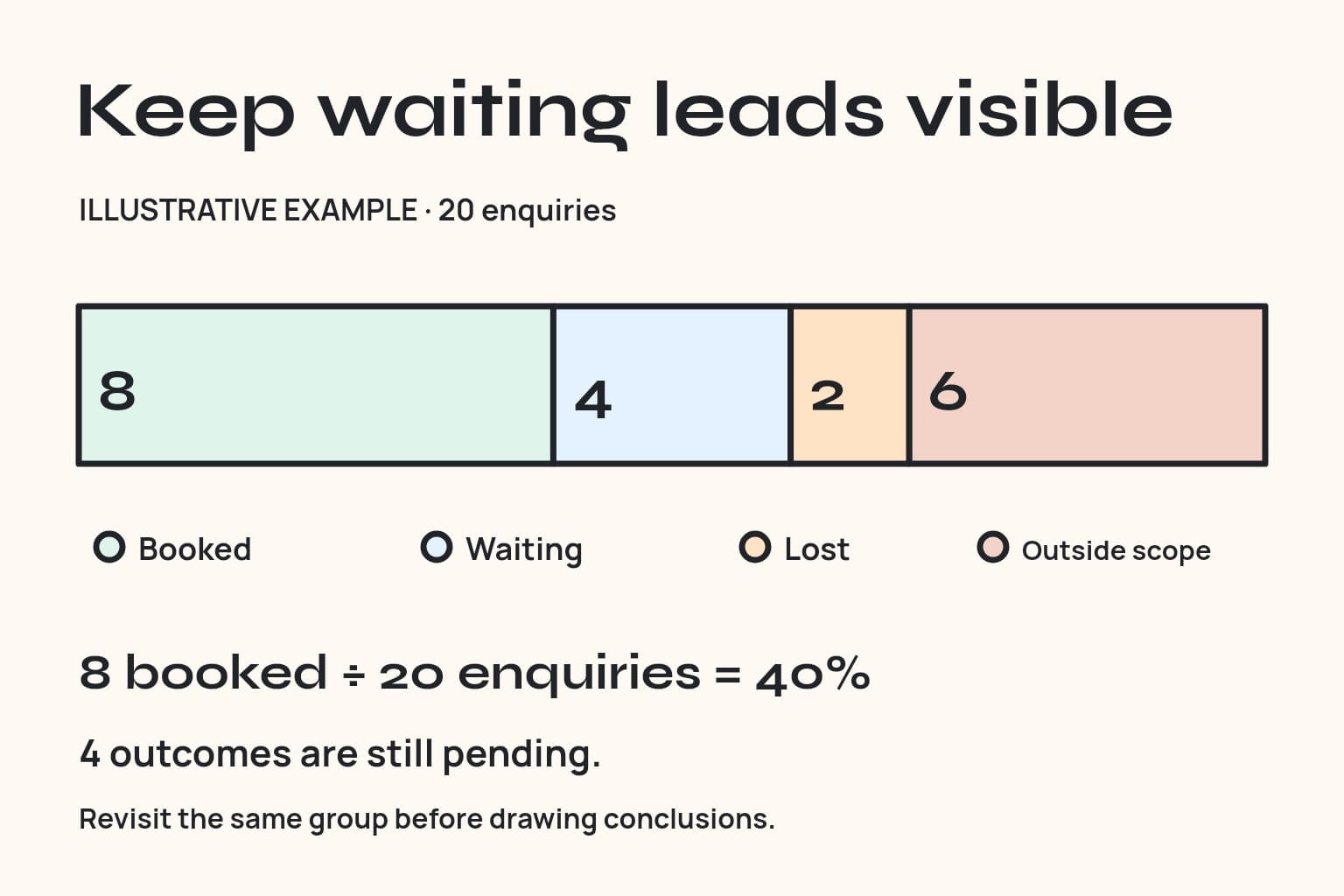
Do not call the four pending enquiries lost or claim that follow-up caused the bookings. Revisit the same group when the waiting requests resolve. Compare like periods and similar services before drawing conclusions.
If overdue tasks concentrate on one coverage period, fix the rota or handoff. If unsuitable services recur, review the selected job types. If suitable requests receive timely answers but do not book, examine the estimate process, availability and reasons customers give.
Frequently asked questions
Does replying quickly guarantee a higher LSA position?
No. Responsiveness is one factor in Google's auction, alongside bids, relevance and profile quality. A reliable response process helps you handle enquiries; it cannot guarantee placement or a booking.
Does an active lead mean a booked job?
No. Active is Google's conversation status after a response. Record a booking only when the customer and business have confirmed the appointment details.
Should an automated acknowledgement count as a response?
Track it separately from a meaningful response. A receipt can reassure the customer, but your team still needs to address their request. Do not assume that sending a receipt changes Google's response-time calculation.
Can we follow this process without a CRM?
Yes. A restricted-access shared register and task list can work for a small team. Keep one stable reference, an accepted owner and a next action. Move to a more structured system when volume or multiple handoffs make manual checking unreliable.
Will Google credit a lead that never books?
Do not assume so. A sales outcome and billing eligibility are different. Google's automated lead-credit guidance describes reassessment of charged leads, with exclusions including job type or geography not serviced. Check the applicable account rules and retain the actual billing status.
Give the next enquiry a clear owner
Take one recent enquiry and trace it from arrival to its current outcome. Find the point where ownership or the next action becomes unclear, then repair that step before expanding the workflow.
JC Labs' Local Services Ads management covers service areas, budget pacing, lead review and reporting. Use the setup review option on that page to discuss whether the account is attracting the right work and where enquiry handling needs a clearer handoff.